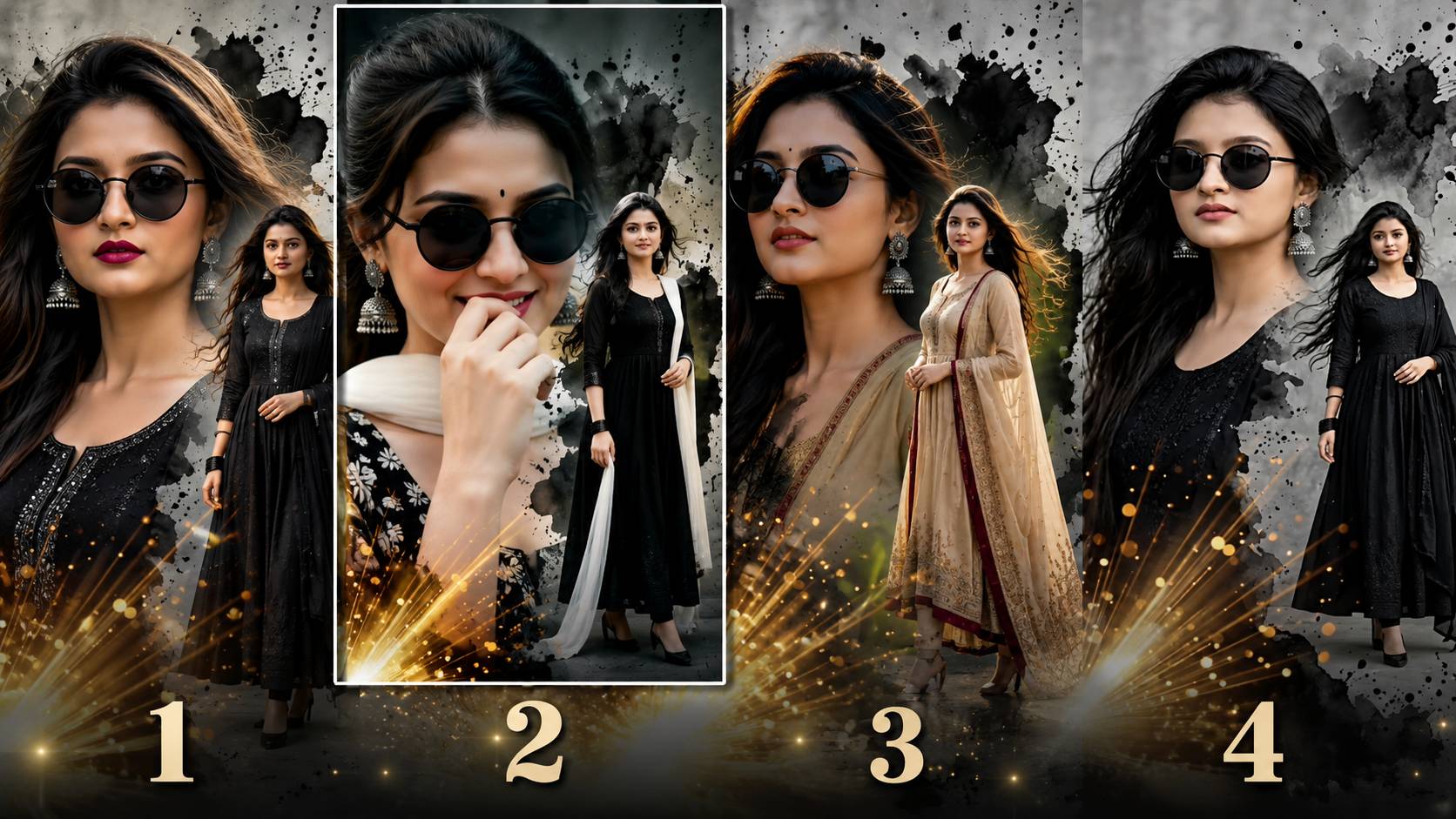
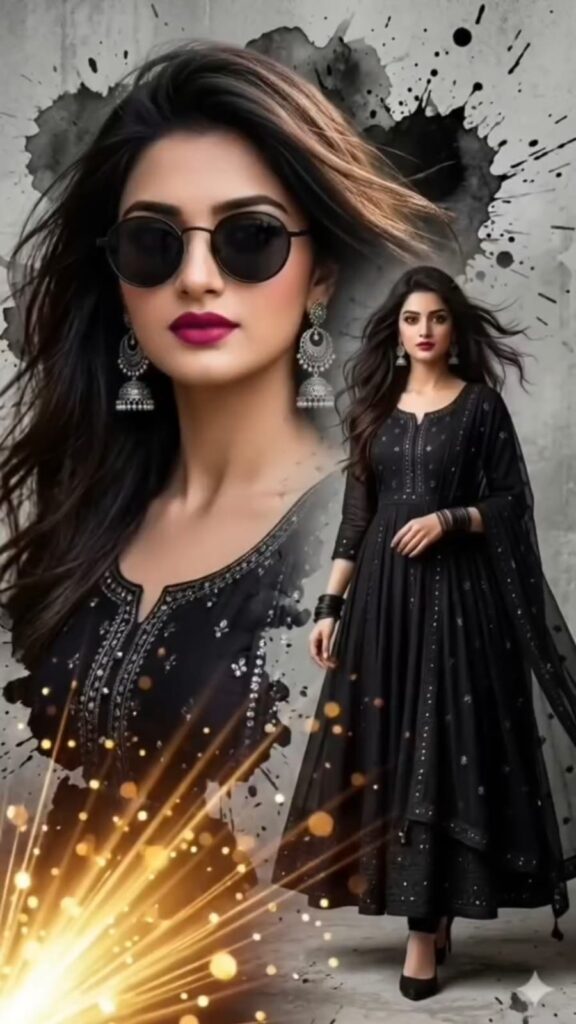
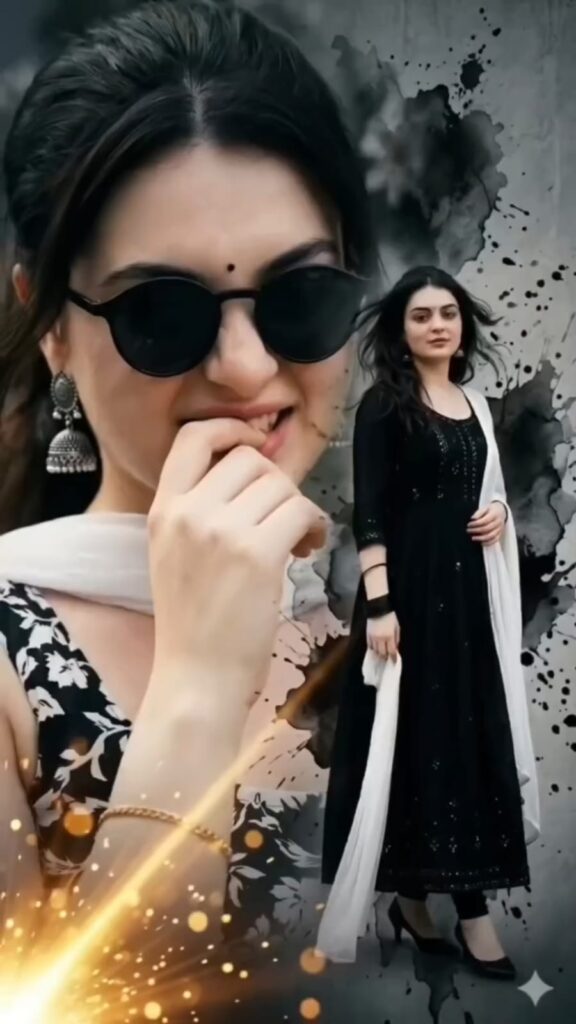
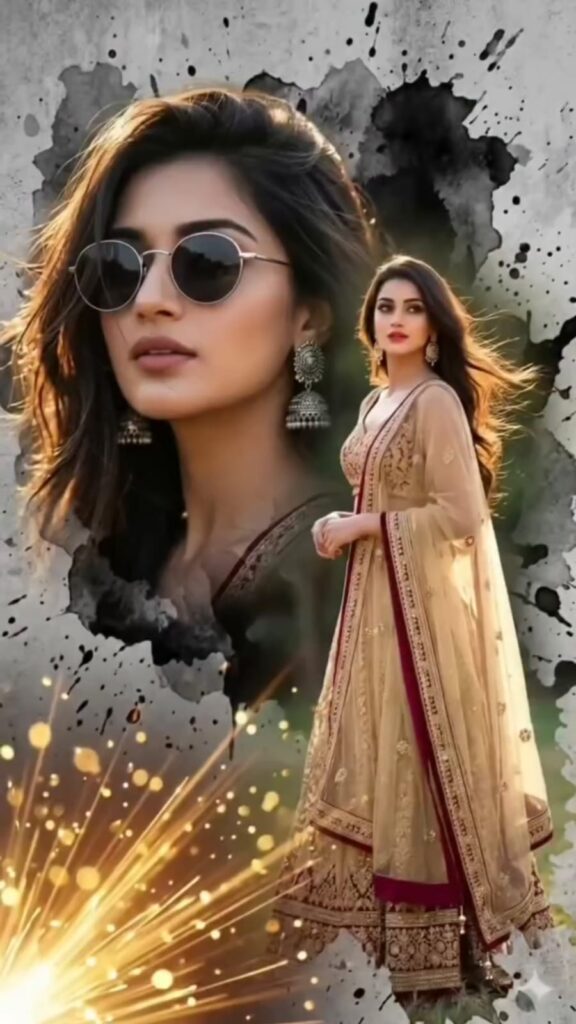
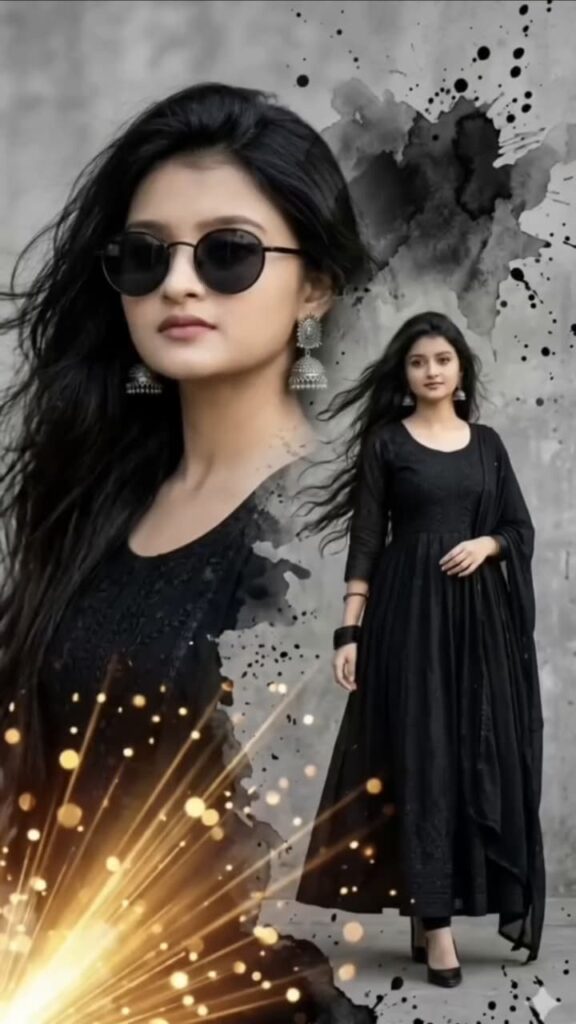
Luxury AI Portrait Collection Digital art aur photography ki duniya mein AI (Artificial Intelligence) ne ek naya revolution la diya hai. Aaj ke samay mein, professional photography studios ya expensive lighting setups ke bina bhi aap aisi images generate kar sakte hain jo kisi high-end fashion magazine ke cover jaisi dikhti hain. Agar aap apne social media feed, portfolio, ya digital art collection ko ek ultra-premium aur luxury look dena chahte hain, toh Luxury AI Portrait Collection aapke liye perfect choice hai.
Is article mein hum baat karenge ki kaise aap ek single frame ya ek cohesive collection ke andar 4 alag-alag cinematic looks create kar sakte hain. Saath hi, maine niche 4 exclusive Midjourney / Leonardo AI prompts aur unke image placeholders share kiye hain, jinko use karke aap khud cinematic masterpieces generate kar sakte hain.
The Power of Cinematic AI Portraits
Cinematic looks ka matlab sirf ek acchi photo nahi hota; iska matlab hota hai ek kahani, ek mood, aur ek premium feel. Jab hum “Luxury” aur “Cinematic” ko mix karte hain, toh hum baat kar rahe hote hain:
Deep Cinematic Lighting: Jaise Rembrandt lighting, neon glows, aur soft golden hour shadows.
Rich Color Palettes: Moody tones, rich golds, deep blues, aur timeless monochrome.
Aaiye dekhte hain hamare collection ke un 4 alag-alag looks ko jo aapke portrait collection ko sabse alag banayenge.
Look 1: The Golden Hour Opulence (The Royal Vibe)
Yeh look pure luxury aur warmth ke baare mein hai. Isme sunset ki soft golden light ko metallic tones aur premium backdrops ke saath combine kiya jata hai, jo portrait ko ek royal aur expensive look deta hai.
Look 2: Cyberpunk Noir (The Neon Luxury Vibe)
Agar aapko modern, edgy aur futuristic look pasand hai, toh Cyberpunk Noir aapke liye hai. Isme dark, moody atmospheres ko vibrant neon lights (like magenta, cyan, aur purple) ke saath mix kiya jata hai. Yeh look high-fashion street style ke liye best hai.
Look 3: Classic Old Money Elegance (The Timeless Vibe)
“Old Money” aesthetic kabhi bhi fashion se bahar nahi jata. Yeh look completely minimal, sophisticated aur clean hota hai. Isme muted color palettes, vintage luxury cars ya mansion libraries ka backdrop, aur sharp tailored clothing ka use kiya jata hai.
Look 4: Dramatic Editorial Monochrome (The Vogue Vibe)
Black and white photography hamesha se high-fashion ka core rahi hai. Is look mein hum extreme contrast, deep shadows, aur sharp highlights ka use karte hain. Yeh har ek detail, face structure, aur expression ko drastically enhance kar deta hai, jisse image bilkul Vogue magazine jaisi lagti hai.
How to Present 4 Looks in a Single Frame?
Agar aap in charo looks ko ek single frame mein dikhana chahte hain, toh aap do tarike apna canva ya photoshop mein use kar sakte hain:
The 4-Grid Layout: Apne canvas ko 4 equal parts (2×2 grid) mein divide karein aur har section mein ek look rakhein. Yeh comparison ke liye sabse best layout hai.
The Cinematic Strip: Ek horizontal frame banayein jisme charo portraits side-by-side hon, jaise kisi film ki reel ya storyboard ho.
Conclusion
Luxury AI Portraits create karna ek kala hai jisme sahi tools aur perfect prompting ki zaroorat hoti hai. In 4 cinematic looks (Golden Hour, Cyberpunk, Old Money, aur Monochrome) ko use karke aap ek aisa portfolio taiyar kar sakte hain jo instant attention grab karega.
Aap upar diye gaye placeholders mein apni best AI-generated images aur unke prompts ko add karke is article ko apni website par publish kar sakte hain. Yeh content aapke audience ko bohot pasand aayega aur unhe bhi AI art generate karne ke liye inspire karega!
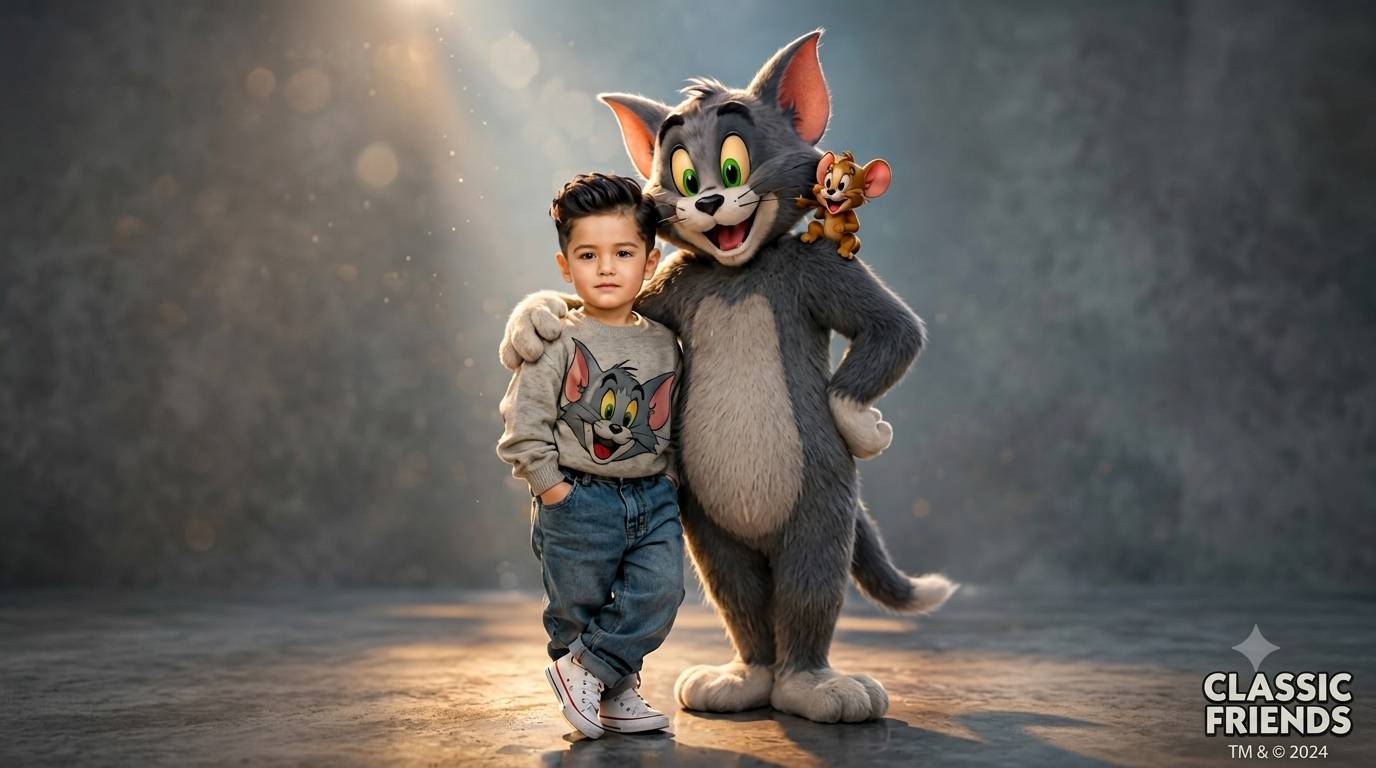
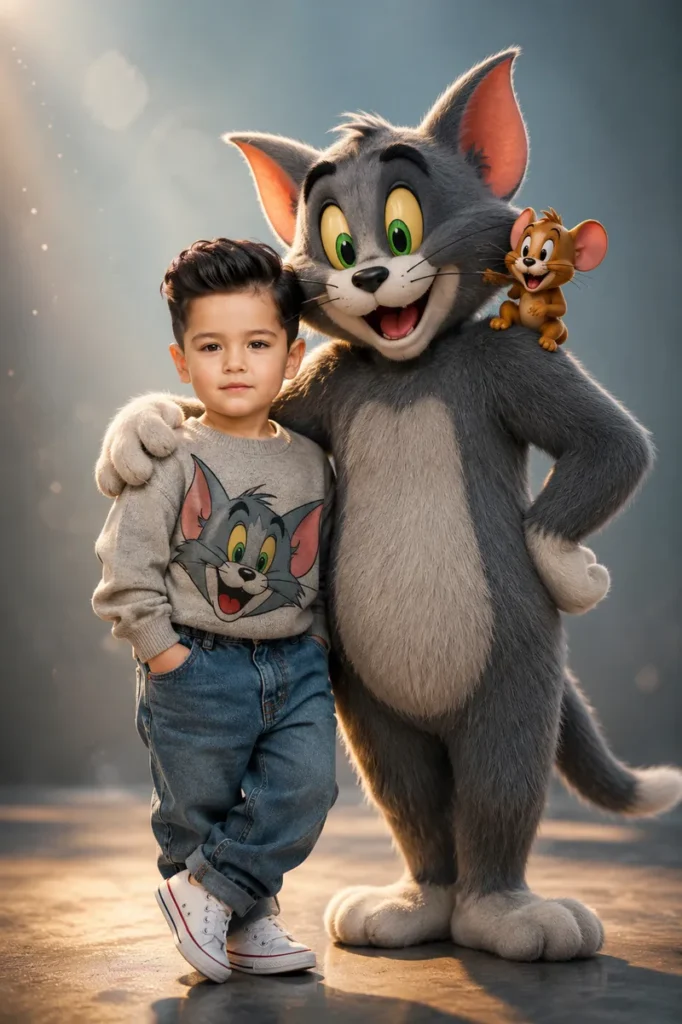
Artificial Intelligence has completely transformed the world of digital creativity. Today, anyone can create beautiful, professional-looking artwork without expensive software or years of design experience. Among the most popular trends in AI image generation, Pixar-inspired 3D characters have become extremely popular on Instagram, YouTube, and other social media platforms. One of the most heartwarming styles is the Little Indian Boy & Cute Cat Pixar-Inspired AI Prompt, which creates adorable animated scenes filled with emotions, vibrant colors, and cinematic lighting.
Whether you are a content creator, AI enthusiast, or someone who loves cute animated characters, this prompt style can help you generate stunning 3D images that look like scenes from a high-quality animated movie.
Why Pixar-Inspired AI Art Is Trending
Pixar-style artwork is loved worldwide because of its expressive characters, colorful environments, and emotional storytelling. AI image generators can now recreate similar visual styles while adding unique details and realistic textures.
People love these images because they offer:
High-quality 3D animation effects.
Cute and expressive characters.
Vibrant colors and lighting.
Social media-friendly designs.
Professional movie-like appearance.
Detailed backgrounds and realistic textures.
These images often become viral on platforms like Instagram Reels, Facebook, Pinterest, and YouTube Shorts.
What Makes Little Indian Boy & Cute Cat Images Special?
The combination of an adorable Indian child and a playful cat creates a heartwarming scene that appeals to people of all ages. These images capture friendship, happiness, and innocence in a beautiful animated style.
The artwork usually includes:
A cheerful Indian boy with expressive eyes.
A friendly gray or white cat with playful emotions.
Warm sunlight and cinematic lighting.
Cozy indoor or outdoor backgrounds.
Rich colors and soft shadows.
Detailed 3D textures inspired by animated movies.
These elements make the final image look magical and memorable.
Best Little Indian Boy & Cute Cat AI Prompt
You can use the following prompt in ChatGPT, Gemini, DALL·E, Leonardo AI, or other image generators
AI Prompt
Different Themes You Can Try
One of the best things about AI image generation is customization. You can create multiple versions using different backgrounds and themes.
Garden Theme
Create a beautiful outdoor scene with:
Green grass.
Colorful flowers.
Bright morning sunlight.
Butterflies and birds.
Rainy Day Theme
Add:
Falling raindrops.
Window reflections.
Cozy atmosphere.
Warm indoor lighting.
Village Theme
Include:
Traditional Indian houses.
Trees and open fields.
Natural sunlight.
Rural surroundings.
Festival Theme
Add:
Diwali decorations.
Fairy lights.
Candles and colorful flowers.
Traditional Indian clothing.
These modifications can make every image unique and visually attractive.
Best AI Tools for Creating Pixar-Inspired Art
Several AI platforms can generate high-quality animated scenes.
ChatGPT Image Generator
ChatGPT can create detailed and cinematic 3D illustrations with beautiful lighting and realistic textures.
Google Gemini
Gemini supports advanced prompts and produces visually impressive animated images.
DALL·E
DALL·E is known for generating creative and colorful artwork with exceptional details.
Leonardo AI
Leonardo AI is widely used for creating social media content and professional-quality AI art.
Midjourney
Midjourney excels in producing artistic and cinematic visuals with premium-quality rendering.
Tips for Better Results
To achieve the best image quality, include these keywords in your prompt:
Pixar-inspired 3D animation.
Ultra-realistic textures.
HDR quality.
8K resolution.
Cinematic lighting.
Volumetric lighting.
Vibrant colors.
Soft shadows.
Depth of field.
Animated movie style.
These keywords help AI generate more detailed and visually appealing artwork.
Uses of These AI Images
Pixar-inspired images are useful for many purposes:
YouTube Thumbnails
Bright and colorful images attract more viewers and increase click-through rates.
Instagram Posts
Cute and emotional artwork receives higher engagement.
Wallpapers
High-resolution images look amazing on smartphones and desktops.
Children’s Story Content
These illustrations are perfect for storytelling and educational videos.
Social Media Reels
Creative AI images help content creators produce viral content.
Conclusion
The Little Indian Boy & Cute Cat: Pixar-Inspired AI Prompt for Stunning 3D Animation is perfect for creating adorable and heartwarming artwork. With the help of AI tools, anyone can generate beautiful animated scenes featuring expressive characters, cinematic lighting, and vibrant colors.
Whether you want content for YouTube, Instagram, wallpapers, or personal projects, these Pixar-inspired prompts can transform your ideas into stunning 3D masterpieces. By experimenting with different themes, lighting effects, and backgrounds, you can create unique images that capture joy, friendship, and creativity in an unforgettable way.
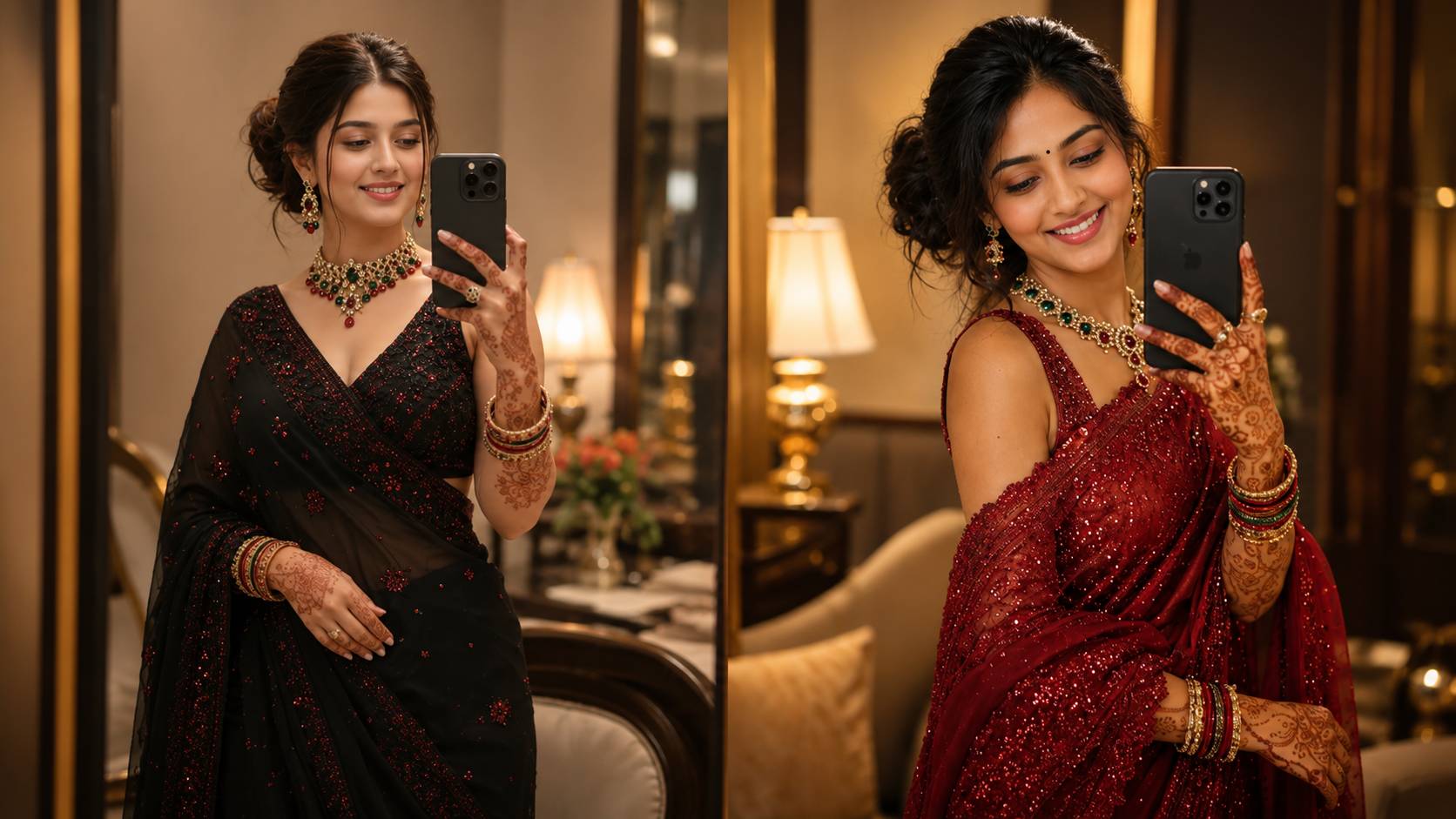
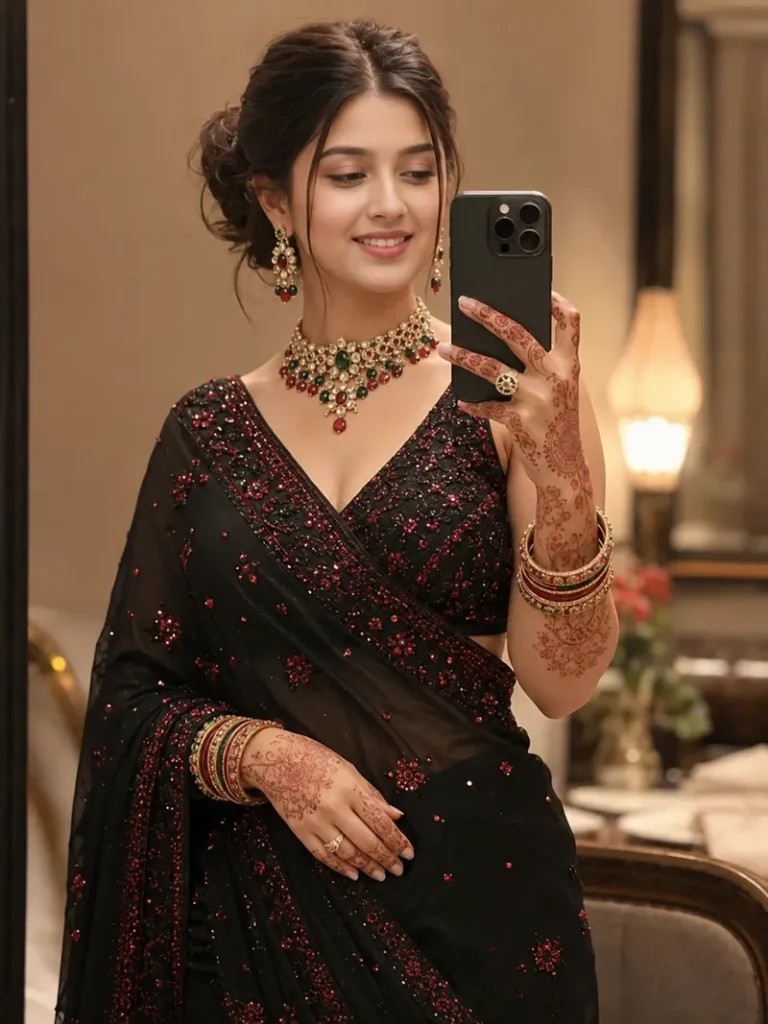
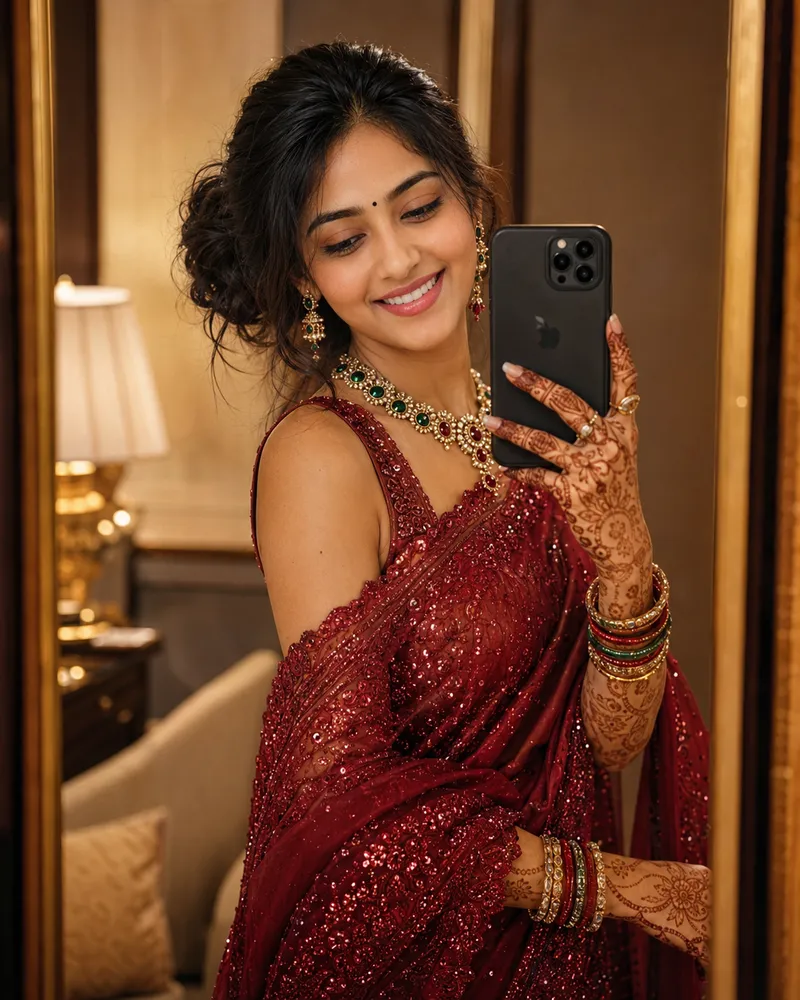
AI image generation is transforming the way people create beautiful portraits and social media photos. Among the latest trends, traditional South Asian saree mirror selfies have gained massive popularity. With the help of advanced AI tools like Gemini and DALL·E, anyone can generate ultra-realistic and stylish portraits without needing professional photography equipment.
If you want to create elegant and eye-catching saree mirror selfies, using a detailed AI prompt can help you achieve stunning results. These AI-generated portraits are perfect for Instagram posts, profile pictures, wallpapers, and social media content.
Why Saree Mirror Selfie AI Images Are Trending
Traditional fashion never goes out of style, and sarees represent grace, beauty, and cultural heritage. Combining this timeless attire with AI image generation allows users to create premium-quality portraits with cinematic effects and realistic details.
People love these AI portraits because they offer:
Ultra-realistic skin textures.
Professional photography appearance.
Elegant traditional styling.
Beautiful lighting effects.
Social media-ready quality.
Premium color grading and details.
These images often look like they were captured by a professional photographer in a luxury studio or modern room setting.
Best Elegant Saree Mirror Selfie AI Prompt
You can use the following prompt with Gemini, DALL·E, ChatGPT, or other AI image generators to create stunning portraits.
AI Prompt
This prompt can generate beautiful traditional portraits with professional-level quality.
Different Styles You Can Try
One of the biggest advantages of AI image generation is customization. You can change the background, saree color, and lighting effects to create unique portraits.
Wedding Look
Add:
Heavy bridal jewelry.
Red or maroon designer saree.
Golden lighting.
Floral decorations.
Modern Luxury Style
Include:
White marble interiors.
Soft ambient lighting.
Designer silk saree.
Premium aesthetic room.
Festival Theme
Add:
Diwali decorations.
Candles and fairy lights.
Colorful traditional background.
Warm golden tones.
Vintage Photography Style
Include:
Soft film grain.
Classic color tones.
Antique mirrors.
Traditional accessories.
These small changes can completely transform the appearance of the image and make it more unique.
Best AI Tools for Creating Saree Portraits
Several AI platforms can generate realistic traditional portraits.
Gemini AI
Gemini provides high-quality image generation capabilities and works well with detailed prompts. It produces realistic textures and natural lighting effects.
DALL·E
DALL·E is known for creating highly detailed and artistic portraits. It can generate elegant traditional outfits with professional-quality visuals.
ChatGPT Image Generator
ChatGPT allows users to create realistic and cinematic images with advanced prompt support.
Midjourney
Midjourney excels at producing artistic and premium-looking portraits with rich colors and stunning compositions.
Leonardo AI
Leonardo AI is popular among creators because of its realistic rendering and social media-friendly image quality.
Tips for More Realistic Results
If you want your AI portraits to look like professional photographs, include these keywords in your prompt:
Ultra-realistic.
HDR quality.
8K resolution.
DSLR photography.
Cinematic lighting.
Volumetric lighting.
Realistic skin texture.
Shallow depth of field.
Professional color grading.
Soft ambient lighting.
These details help AI generate premium and natural-looking portraits.
Where Can You Use These Images?
AI-generated saree mirror selfies are suitable for many purposes.
Instagram Posts
Elegant portraits attract more engagement and make profiles look professional.
WhatsApp and Facebook Profile Pictures
Traditional AI portraits create a stylish and memorable appearance.
Wallpapers
High-resolution images look amazing on smartphones and desktops.
YouTube Thumbnails
Content creators can use these portraits to create attractive thumbnails.
Festival Greetings
Customized AI images are perfect for Diwali, Eid, weddings, and family celebrations.
How to Create Better AI Images
For the best output:
Use detailed descriptions.
Mention the saree type and color.
Add realistic lighting effects.
Specify camera style such as DSLR photography.
Include room or background details.
Use HDR and 8K quality keywords.
Generate multiple versions and select the best result.
Even minor changes in prompts can significantly improve image quality.
Conclusion
The Elegant Saree Mirror Selfie AI Prompt for Gemini and DALL·E is an excellent way to create beautiful and realistic traditional portraits. Whether you want a stylish Instagram post, profile picture, wallpaper, or festive image, AI tools can produce professional-quality results in seconds.
By using detailed prompts and adding realistic lighting, jewelry, camera effects, and premium backgrounds, you can generate stunning saree mirror selfies that look like they were captured during a professional photoshoot. Experiment with different colors, themes, and decorations to create unique portraits that truly stand out on social media.
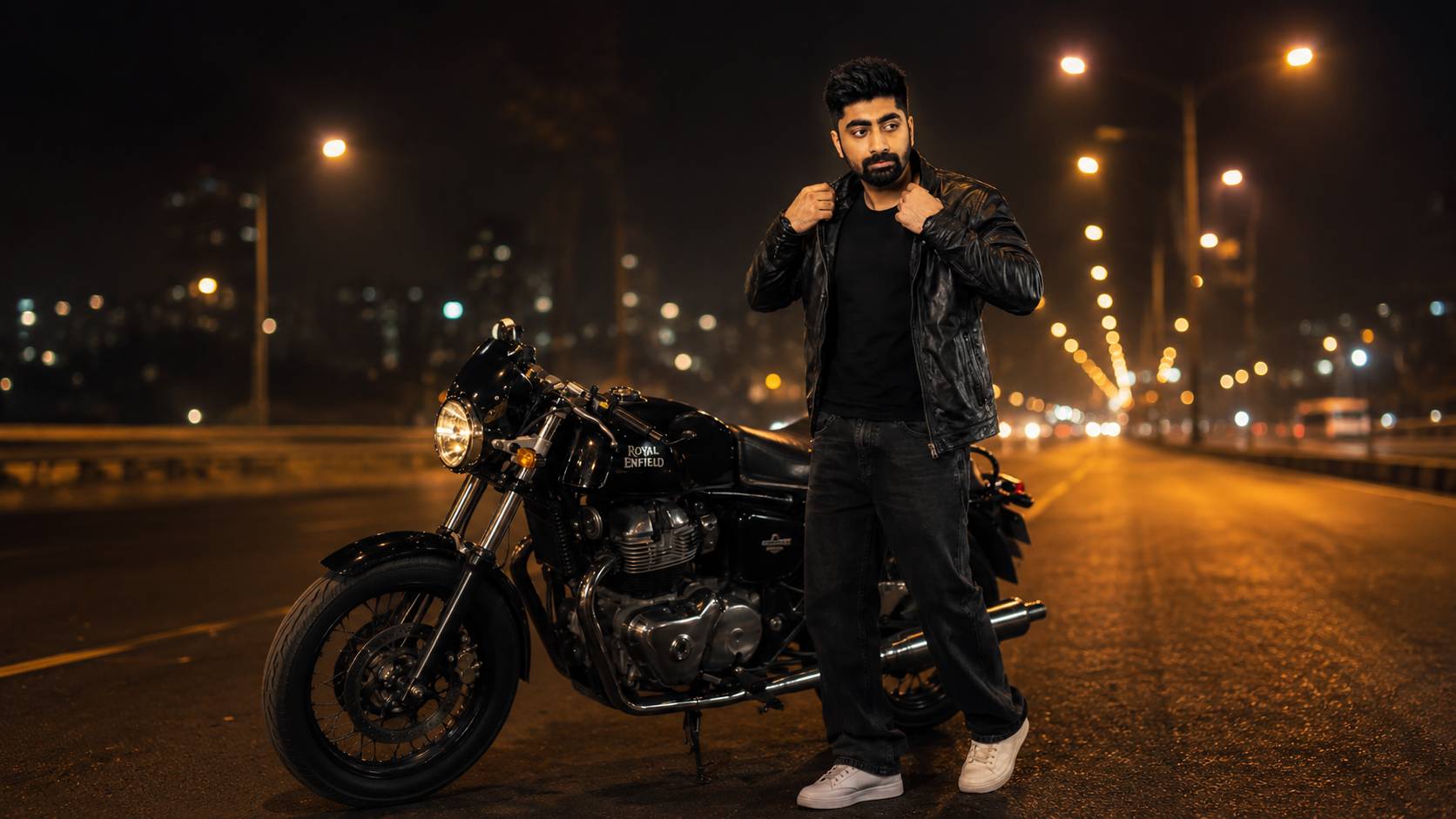
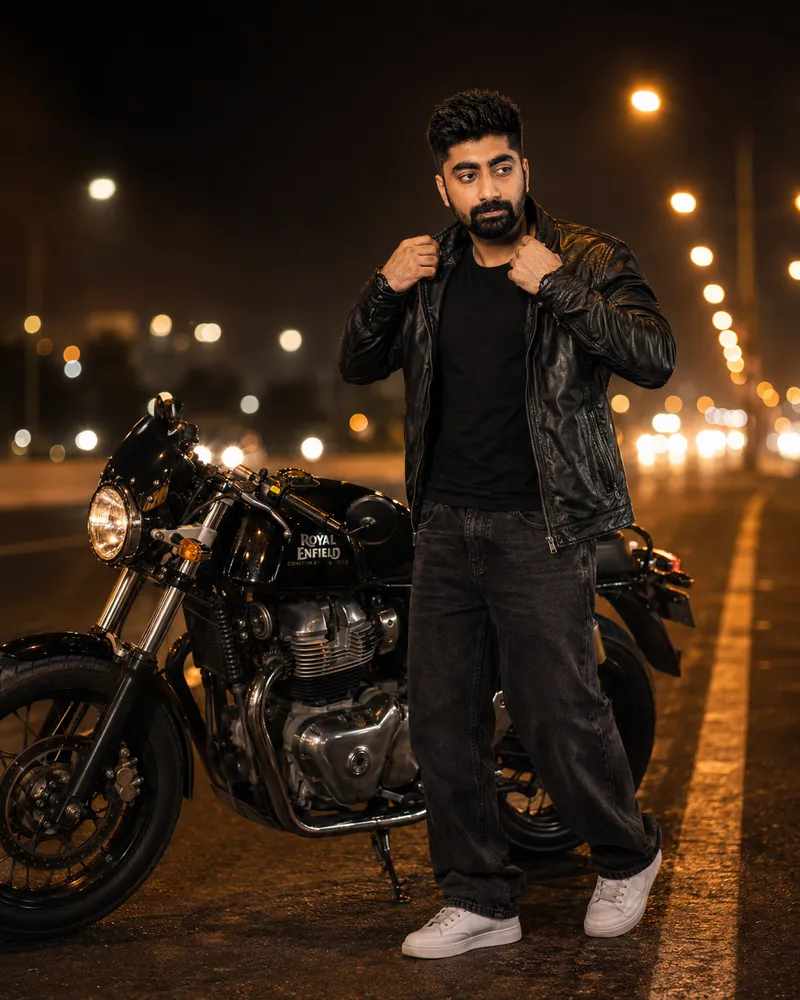
AI image generation has become one of the most popular trends among creators and social media users. From cinematic portraits to ultra-realistic photos, people are using AI tools to create amazing visuals without professional cameras. One of the most trending styles is the Indian Man & Royal Enfield AI Prompt for Cinematic Art. This style combines the iconic Royal Enfield motorcycle with dramatic lighting, realistic backgrounds, and a stylish Indian look to create eye-catching images.
If you are looking for a powerful AI prompt that can generate premium cinematic portraits, this guide will help you create stunning images for Instagram, YouTube thumbnails, wallpapers, and profile pictures.
Why Royal Enfield Cinematic AI Images Are Trending
Royal Enfield is not just a motorcycle; it represents style, adventure, and personality. When combined with AI image generation, it creates breathtaking artwork with:
Cinematic lighting effects.
Ultra-realistic details.
Premium color grading.
Dramatic atmosphere.
Stylish Indian fashion.
Social media-ready portraits.
These images are becoming popular among Instagram creators, YouTubers, and AI art enthusiasts because they look like professional photoshoots.
Best Indian Man & Royal Enfield AI Prompt for Cinematic Art
Copy and paste the prompt below into ChatGPT, Google Gemini, Midjourney, Grok, or any AI image generator.
AI Prompt
This prompt can generate stunning images that appear like a high-budget movie scene.
Customize the Prompt According to Your Style
One of the biggest advantages of AI image generation is customization. You can modify the prompt to create different looks.
Night Cinematic Look
Add:
Blue neon lighting.
Wet roads with reflections.
City lights in background.
Smoke effects.
Mountain Adventure Theme
Add:
Himalayan mountains.
Snow-covered roads.
Travel bags on the motorcycle.
Golden sunrise atmosphere.
Village Road Style
Add:
Green fields.
Dust particles.
Traditional Indian environment.
Warm evening sunlight.
Rainy Mood Effect
Add:
Falling rain.
Water droplets on the bike.
Dark clouds.
Moody cinematic colors.
These changes can completely transform the appearance of the image while maintaining realism.
Best AI Tools for Creating Royal Enfield Cinematic Art
Many AI image generators can create realistic bike portraits. Some popular options include:
ChatGPT Image Generator
ChatGPT can generate highly detailed cinematic portraits with realistic lighting and professional photography effects.
Google Gemini
Google Gemini provides excellent AI image capabilities and supports advanced prompts for realistic outputs.
Midjourney
Midjourney is famous for artistic and cinematic image generation with premium-quality details.
Grok AI
Grok AI can create realistic portraits and creative cinematic scenes with impressive colors.
Leonardo AI
Leonardo AI offers powerful tools for generating social media-ready AI images and wallpapers.
Tips to Make AI Images More Realistic
To achieve professional-quality images, include these keywords in your prompts:
Ultra-realistic.
Cinematic lighting.
8K resolution.
HDR quality.
DSLR photography.
Volumetric lighting.
Shallow depth of field.
Golden hour lighting.
Realistic skin texture.
Professional color grading.
These keywords help AI produce highly detailed and premium-looking artwork.
Uses of Royal Enfield AI Images
Cinematic bike portraits can be used for various purposes:
Instagram Posts
Stylish AI portraits attract more engagement and followers.
YouTube Thumbnails
High-quality images increase click-through rates and make videos look professional.
Profile Pictures
Unique AI portraits help create a premium online identity.
Wallpapers
Ultra-HD Royal Enfield images look fantastic on smartphones and desktops.
Social Media Reels
Creators often use AI-generated photos in reels and shorts to gain more views.
How to Get Better Results
For the best output:
Use detailed prompts.
Mention lighting and camera effects.
Specify clothing style.
Add realistic backgrounds.
Use 8K and HDR quality keywords.
Include cinematic color grading.
Generate multiple versions and choose the best one.
Small modifications in the prompt can significantly improve the quality of the final image.
Conclusion
The Indian Man & Royal Enfield AI Prompt for Cinematic Art is perfect for creating stylish and ultra-realistic bike portraits. Whether you want an Instagram DP, YouTube thumbnail, wallpaper, or cinematic artwork, AI tools can generate professional-quality images within seconds.
By using detailed prompts with realistic lighting, HDR effects, and cinematic color grading, you can create stunning Royal Enfield portraits that look like they were captured by a professional photographer. Experiment with different backgrounds, weather effects, and clothing styles to produce unique and visually striking AI art that stands out on social media.
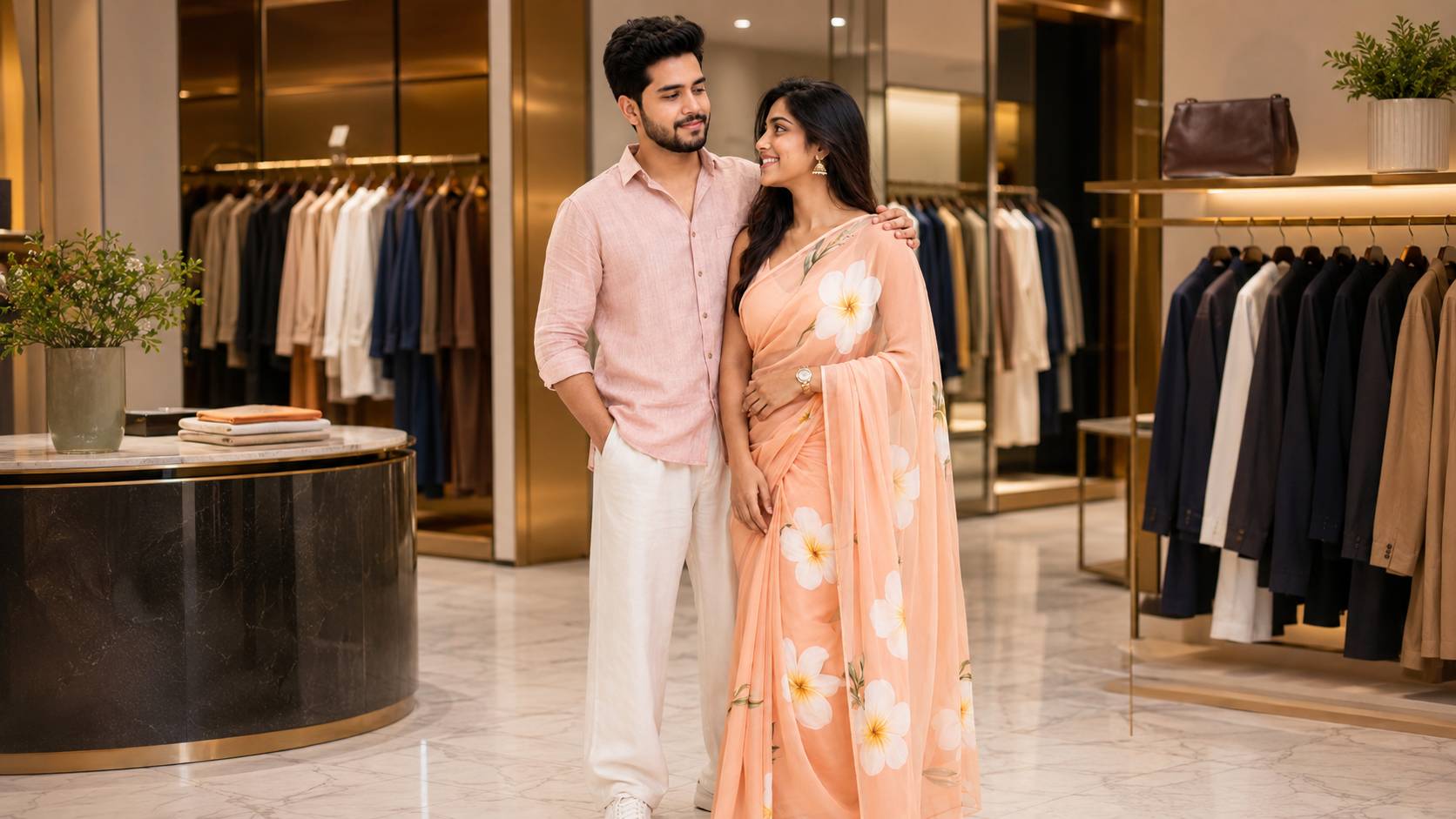
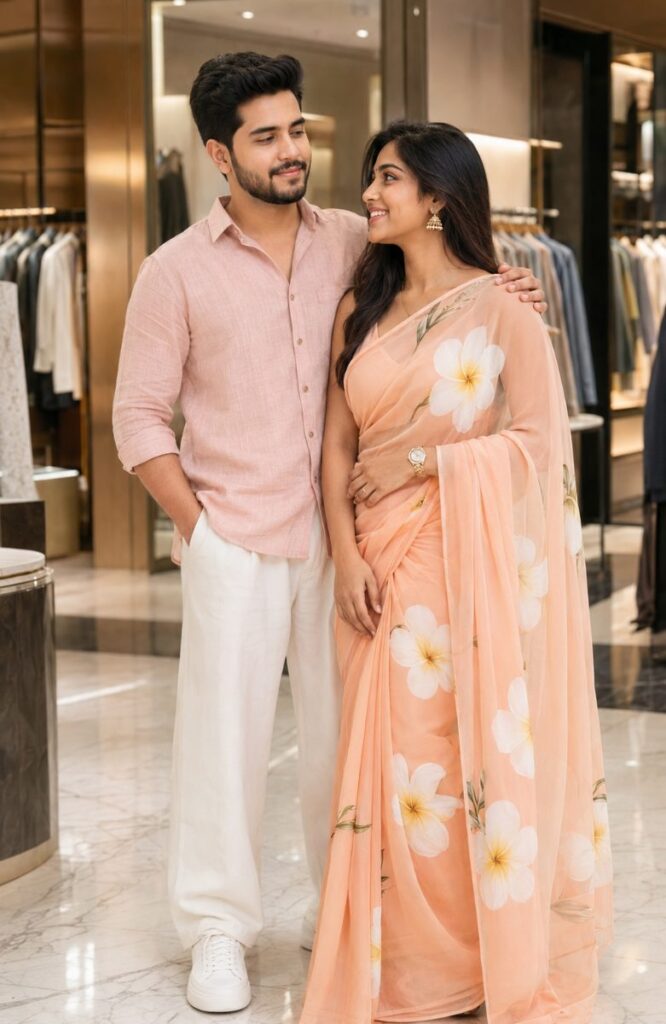
Aaj ke digital zamane mein AI (Artificial Intelligence) ne photography aur content creation ki duniya ko puri tarah se badal diya hai. Agar aap ek blogger, digital creator, ya social media influencer hain, toh aapko pata hi hoga ki high-quality images ki kitni demand hai. Khaskar jab baat Indian Couple Fashion Shoot ki aati hai, toh traditional, modern aur cinematic aesthetics ka ek perfect balance chahiye hota hai.
Lekin kya ho agar aapko in premium photoshoots ke liye lakho rupaye kharch na karne padein? Ji haan, ChatGPT (DALL-E 3) aur Midjourney jaise AI image generators ka use karke aap sirf kuch text prompts se hyper-realistic aur trending couple fashion photos generate kar sakte hain.
Is article mein hum aapko sabse best aur viral Indian Couple Fashion Shoot: ChatGpt AI Prompts provide karne wale hain. In prompts ka use karke aap apne Instagram reels, Pinterest boards, aur blog articles ke liye stunning images create kar sakte hain.
AI Image Generation for Couple Fashion: Ye Trend Kyun Viral Hai?
2026 mein AI photography sirf ek experiment nahi reh gaya hai, balki yeh ek professional tool ban chuka hai. Designers, wedding planners, aur content creators in AI prompts ka use mood boards banane aur social media engagement badhane ke liye kar rahe hain.
Iske main fayde yeh hain:
Cost-Free Shoots: Expensive DSLR cameras, studio setups, aur lighting equipment ki koi zaroorat nahi.
Unlimited Creativity: Aap Goa ke beaches se lekar Kashmir ki waadiyon tak, kisi bhi location par virtual shoot kar sakte hain.
High Engagement: AI-generated hyper-realistic Indian couple photos Instagram aur Pinterest par sabse zyada save aur share ki jati hain, jisse aapke blog par massive organic traffic aata hai.
Top 10 Best ChatGPT AI Prompts for Indian Couple Fashion Shoot
Yahan niche maine alag-alag styles aur themes ke hisaab se sabse best AI prompts diye hain. Aap in prompts ko direct copy karke ChatGPT Plus (DALL-E 3), Microsoft Copilot (Bing Image Creator), ya Midjourney mein paste kar sakte hain.
1. The Royal Rajputana Traditional Look
Agar aapko ek dam royal aur premium Indian wedding fashion ka look chahiye, toh yeh prompt sabse best hai. Isme heavy jewelry aur rich textures ka detail aayega.
2. Modern Streetwear Fashion in Mumbai City
Gen-Z aur modern fashion trends ke liye, streetwear aesthetic bahut popular hai. Yeh prompt ek cool, urban vibe generate karta hai.
3. Romantic Pre-Wedding Shoot in Kerala Backwaters
Pre-wedding shoots ka craze hamesha high rehta hai. Yeh prompt nature aur romance ko ek sath blend karta hai.
4. Bollywood Style Saree & Kurta Look (Yash Raj Aesthetic)
Har kisi ko apne andar ek Bollywood star feel karna pasand hai. Yeh prompt Switzerland ya snowy mountains ka classic Bollywood vibe dega.
5. Minimalist Pastel Aesthetic (Trending in 2026)
Aaj kal loud colors se zyada pastel aur minimalist aesthetics trend kar rahe hain. Pinterest par aisi images kaafi viral hoti hain.
6. The Vintage 1980s Retro Bollywood Style
Retro fashion wapas aa gaya hai. Polka dots, bell-bottoms, aur classic poses ka maza is prompt mein hai.
7. Festive Diwali Celebration Setup
Festivals ke time par blogs par traffic lane ke liye yeh prompt aapko highly shareable images dega.
8. Luxury Resort Wear Shoot in Goa
Summer vacation fashion ya honeymoon couple outfits ke liye resort wear ek perfect category hai.
9. High-Fashion Winter Look in Kashmir
Winter fashion in India ki ek alag hi beauty hai, khaskar Kashmir ki waadiyon mein pashmina aur coats ke sath.
10. Cyberpunk Indian Wedding (Futuristic Fashion)
Kuch alag aur viral content create karna ho toh futuristic themes bahut kaam aati hain.
Secret Formula: AI Prompts Ko Customize Kaise Karein?
Upar diye gaye prompts ko aap apni zaroorat ke hisaab se tweak kar sakte hain. Ek perfect AI prompt ke 4 main pillars hote hain:
Subject Description: Couple ki age, unka look, aur unke expressions. (e.g., happy young Indian couple, serious high-fashion look).
Outfit Details: Kapdo ka type, fabric, aur colors. SEO ke liye specific keywords use karein jaise Kanjeevaram silk saree, Chikankari kurta.
Environment & Lighting: Location kahan hai aur roshni kaisi hai? (e.g., golden hour lighting, neon city background, soft studio light).
Camera Settings (Technical Add-ons): AI models ko camera lenses aur styles samajh aate hain. Apne prompt ke end mein hamesha shot on 85mm lens, f/1.8 aperture, hyper-realistic, 8k resolution jaise words zaroor jodein.
SEO & Blog Monetization Tips For This Article
Kyunki aap ek professional blogger hain aur AdSense/AdX par kaam karte hain, is topic par likhte waqt in baaton ka dhyan rakhein:
Image Alt Tags: Har AI generated image ko upload karte waqt uska proper English “Alt Text” zaroor likhein (e.g., alt="Indian couple in traditional royal lehenga and sherwani AI generated"). Google Image Search se aapko massive traffic milega.
Internal Linking: Apne blog ke dusre articles jaise “CapCut Video Editing Tips” ya “How to Make Viral Instagram Reels” ko is article mein link karein taaki user retention badhe.
High eCPM Keywords: Is article mein AI Tools, ChatGPT Plus, DALL-E 3, Fashion Photography, aur Wedding Planning jaise high-paying keywords naturally use hue hain, jo aapke AdSense aur AdX arbitarge campaigns mein CPC badhane mein madad karenge.
Content Length: Google long-form content ko pasand karta hai. Is 1500+ words ke detailed article structure se aapki search engine ranking definitely improve hogi.
Conclusion
Indian Couple Fashion Shoot: ChatGpt AI Prompt ka use karke aap apni creativity ko next level par le jaa sakte hain. Chahe aapko apne next blog post ke liye thumnails chahiye, ya Instagram page grow karne ke liye viral content, yeh prompts aapki bahut madad karenge.
AI technology ne ideas ko reality mein badalna bahut aasan kar diya hai. Ab aapko bas in prompts ko copy karna hai, thoda bahut edit karna hai, aur ek click mein aapki high-quality premium image ready ho jayegi!
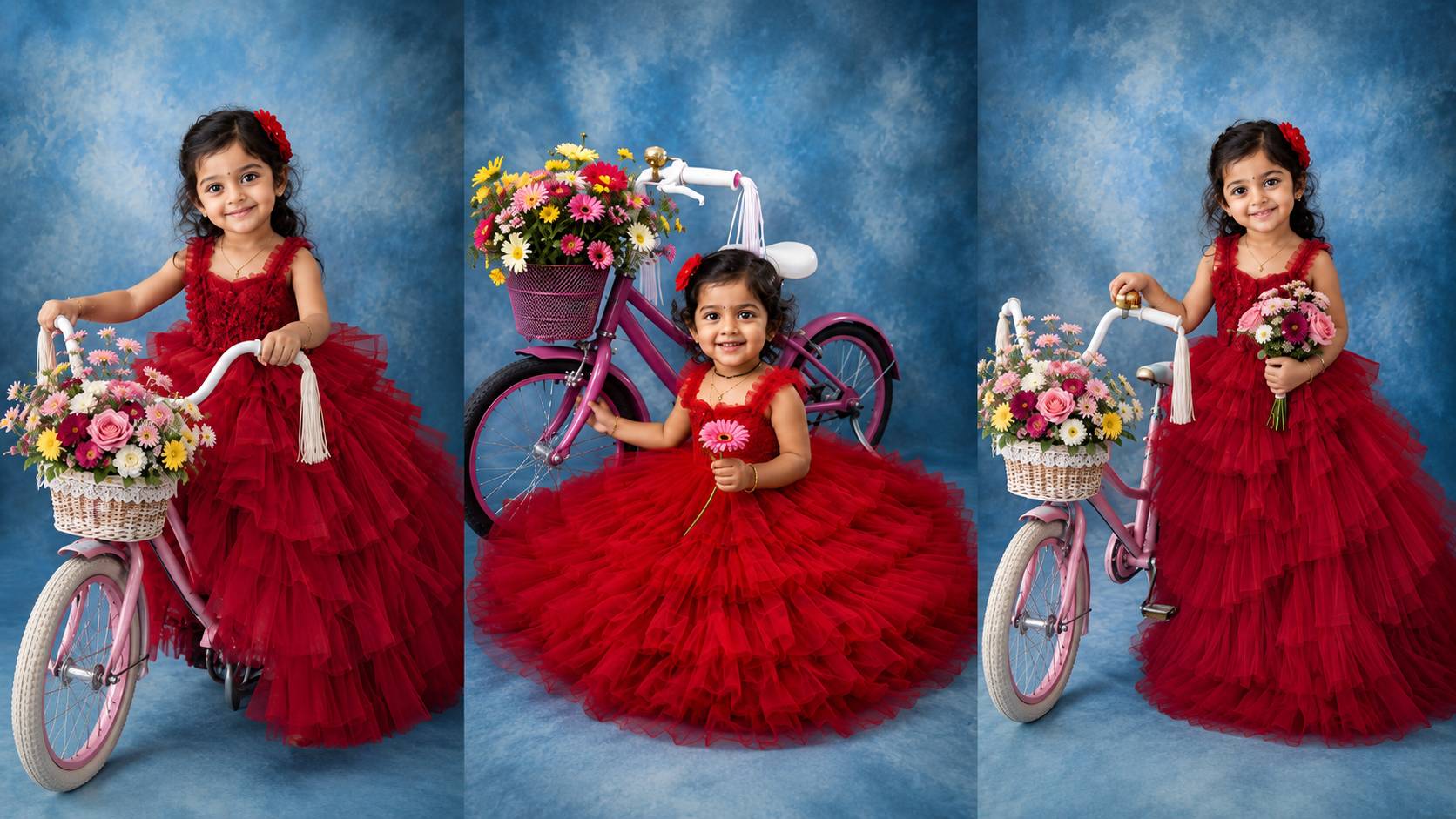
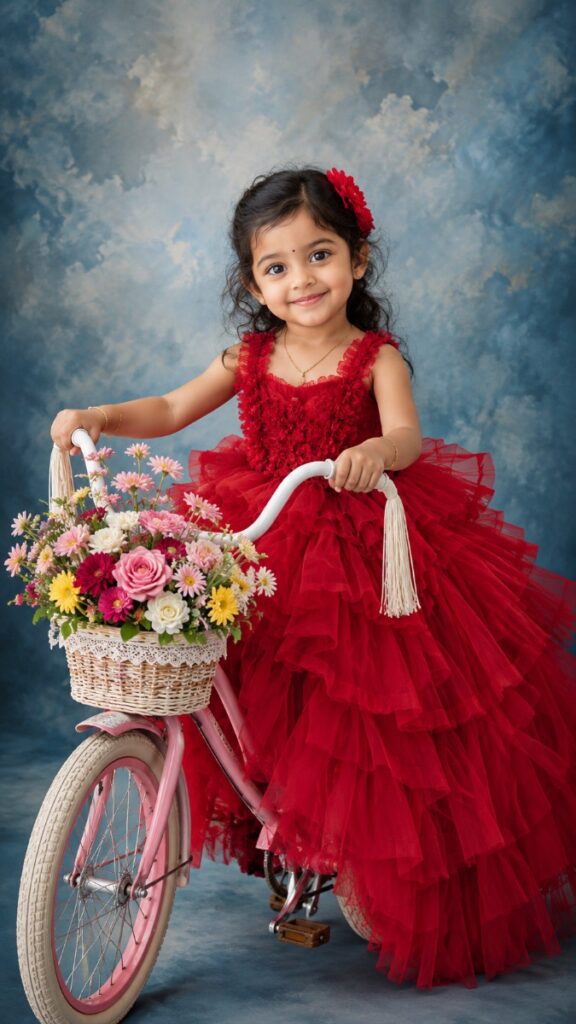
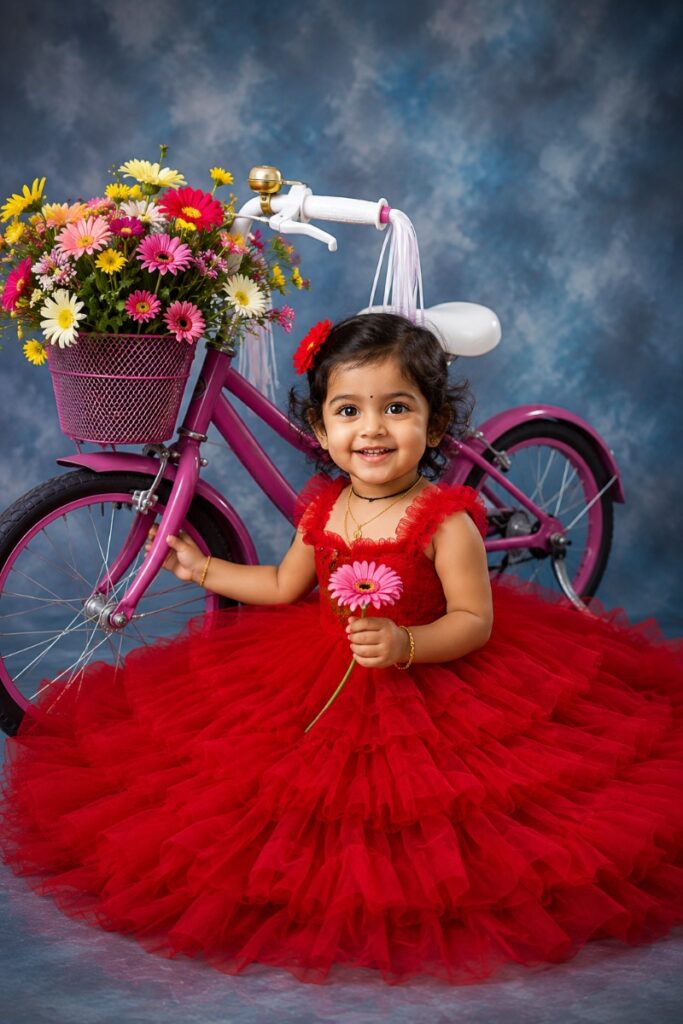
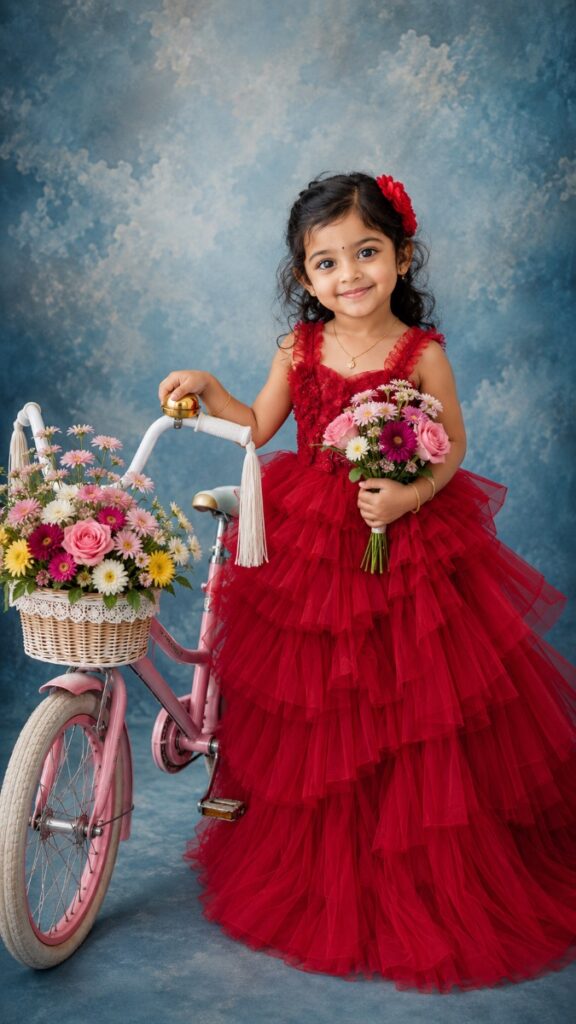
Childhood is a fleeting, magical phase filled with innocence, boundless imagination, and pure joy. As parents and photographers, capturing these precious moments is more than just clicking a shutter; it is about freezing time and creating a visual legacy. In the ever-evolving world of studio portraiture, themed photoshoots have become incredibly popular. Among the plethora of creative concepts available today, The Floral Bicycle Theme stands out as a true masterpiece.
This theme beautifully blends vintage charm, vibrant color contrasts, and a whimsical fairytale narrative. It provides the perfect aesthetic backdrop for birthdays, developmental milestones, and fine-art portraits. Whether you are a professional photographer aiming to expand your studio portfolio or a parent planning a memorable DIY photoshoot for your little girl, executing this theme flawlessly requires careful attention to detail.
In this comprehensive guide, we will dive deep into everything you need to know about the floral bicycle theme. From selecting the perfect vintage props and mastering studio lighting to wardrobe styling and capturing natural expressions, this article is your ultimate blueprint for creating breathtaking kids’ photography.
Why the Floral Bicycle Theme is Perfect for Kids Photography
When planning a photoshoot for toddlers and young children, the environment and props play a massive role in how the child behaves. Children naturally interact well with objects they recognize and enjoy. Here is why the floral bicycle theme works so wonderfully:
It Encourages Natural Play: A bicycle immediately triggers a sense of playfulness and curiosity. Instead of forcing a child to sit still and smile at the camera, you are giving them an activity. This makes it significantly easier to capture genuine, candid expressions.
Timeless Aesthetic Appeal: The fusion of a rustic or pastel vintage bicycle with fresh, colorful blooms creates an elegant, old-world charm. Unlike trendy pop-culture themes that may look outdated in a few years, a floral vintage setup remains timeless.
Dynamic Storytelling: A bicycle implies movement, adventure, and exploration. It tells a story of a magical journey through an enchanted garden, adding incredible depth and narrative to a simple studio portrait.
Stunning Color Combinations: The theme allows for striking color palettes. Deep, bold wardrobe choices against a soft, textured background create a powerful visual pop that instantly draws the viewer’s eye.
Essential Studio Setup for the Perfect Shot
Creating an enchanting scene requires a strategic approach to your studio environment. You want the background and lighting to complement the prop and the subject without overpowering them.
1. Choosing the Right Background
For fine-art portraiture, the background is just as important as the subject. A hand-painted canvas backdrop with textured, soft cloudy patterns works exceptionally well for the floral bicycle theme. Shades of muted blue, slate grey, or soft lavender mimic an open sky, giving the illusion of an outdoor garden path even when shooting inside a controlled indoor studio.
If you are shooting on a budget, high-quality printed vinyl backdrops with bokeh or floral garden designs can also work. However, avoid flat, solid-colored seamless paper backdrops, as they lack the depth and texture needed for a premium, vintage look.
2. Mastering Studio Lighting
Lighting kids requires flexibility since they move quickly and unpredictably. A soft, directional lighting setup is ideal for capturing the soft features of a child while highlighting the textures of the dress and the flowers.
Main Light (Key Light): Use a large octabank or a heavily diffused softbox placed at a 45-degree angle to the subject. This creates soft, flattering shadows that define the child’s face and the ruffles of the gown.
Fill Light: Place a large white reflector or a lower-powered softbox on the opposite side of the key light. This will gently fill in harsh shadows, ensuring the intricate details of the bicycle basket and the floral arrangement remain clearly visible.
Rim/Hair Light: A subtle grid light aimed at the back of the child’s head and shoulders can create a gentle separation halo. This separates the subject from the background, adding three-dimensional depth to the final image.
Prop Selection: The Vintage Bicycle & Floral Arrangement
The prop is the centerpiece of this entire photoshoot setup. Getting the details right here will elevate the entire production value of your images.
Finding the Right Bicycle Prop
Standard modern bicycles or plastic tricycles will not deliver the same magical quality as a vintage-style cruiser. Look for a mini vintage tricycle or a small 12-inch balance bike. Pastel shades like cream, soft pink, mint green, or even a distressed rustic metal finish work best. Ensure the bicycle is appropriately scaled to the child’s age so they can sit comfortably and safely.
Safety Note: Always secure the bicycle wheels invisibly using clear acrylic blocks, sandbags, or small wheel wedges behind the tires. This prevents the bike from rolling unexpectedly while the child is posing.
Creating the Floral Basket
The magic lies in how you dress up the front basket. Use a classic woven wicker basket or a lace-trimmed wire basket attached to the handlebars. Fill it generously with a rich mix of faux or real flowers.
Mix Sizes and Textures: Combine large statement flowers like roses, peonies, or dahlias with delicate filler flowers like baby’s breath or daisies.
Add Greenery: Incorporate cascading greenery or small trailing ivy vines to hang over the edges of the basket, giving it an organic, freshly-picked look.
Color Coordination: Match the flower colors to complement the child’s outfit. If the dress is a vibrant red, use soft pinks, whites, and yellows in the basket to create a balanced contrast.
Wardrobe and Styling for Little Girls
To turn a beautiful photo into an extraordinary fine-art piece, the styling must match the grandeur of the props. A dramatic, high-fashion approach works beautifully against the rustic elements of the bicycle.
The Magic of the Ruffle Gown
A multi-layered, tiered tulle ruffle gown is the ultimate choice for this theme. It creates immense volume, texture, and a sense of royalty. When the little girl sits on the bicycle, the layers of the gown cascade elegantly over the seat and frame, covering the mechanics of the bike and creating a soft, dreamy look.
Colors like crimson red, royal blue, mustard yellow, or deep emerald green are excellent choices. These bold colors ensure the subject stands out phenomenally against a neutral or cool-toned studio backdrop.
Hair and Accessories
When the dress and the prop are highly detailed, it is best to keep the accessories minimal and intentional:
Hairpieces: A simple matching floral clip, a delicate pearl headband, or a subtle red flower crown nestled in soft curls adds a beautiful touch that frames the face without being distracting.
Footwear: Since the voluminous gown will likely cover most of the bicycle and the child’s legs, the shoes might only peek through occasionally. Opt for simple matching ballet flats, Mary Janes, or vintage leather shoes.
Posing Guidelines: Capturing Natural Expressions
Working with young children requires endless patience, high energy, and a playful attitude. Forcing a toddler into a rigid, traditional pose rarely results in a compelling photograph. Instead, you must direct them through interactive play.
Start by letting the child explore the setup. Ask them to hold onto the handlebars and pretend they are riding through a secret magical forest. Encourage them to look down at the beautiful flowers in the basket and touch the petals gently—this simple action naturally creates a stunning, contemplative profile shot with beautiful downward eyelashes.
To get a direct, joyful gaze toward the camera, rely on the parents. Have mom or dad stand right behind the photographer. Play peek-a-boo, sing their favorite nursery rhyme, or ask engaging questions like, “Where are you riding your magic bicycle today?” Be ready to press the shutter the moment they look up to answer with a bright, natural smile.
Best Camera Settings for Studio Portraiture
To ensure tack-sharp images with beautiful depth, you need to optimize your camera settings specifically for studio strobe lighting and moving subjects:
Lens Choice: An 85mm f/1.4 or a 50mm f/1.2 prime lens is ideal for portraiture. These focal lengths offer zero distortion, beautiful compression, and exceptional sharpness.
Aperture: While it is tempting to shoot wide open at f/1.4 for maximum bokeh, doing so might blur out important details like the floral basket or the textures of the dress. Shooting between f/2.8 and f/4.0 strikes the perfect balance.
Shutter Speed: Keep your shutter speed at 1/200s or 1/250s (depending on your camera’s max sync speed) to eliminate any motion blur from the child’s sudden movements.
ISO: Keep your ISO at its base value, typically ISO 100, to ensure the absolute cleanest image quality with maximum dynamic range.
Post-Processing Tips for a Fairytale Look
The final step in bringing the floral bicycle theme to life happens in your editing software like Adobe Lightroom or Photoshop.
Start by enhancing the color profile. Boost the vibrance of the primary colors slightly, making the red gown or the colorful flowers pop. Use a selective brush to soften the skin gently while preserving natural textures like hair and eyelashes. Apply a subtle vignette to darken the edges of the frame slightly; this technique naturally guides the viewer’s eye directly to the child. Finally, use dodging and burning techniques to highlight the ruffles in the dress and add a rich, painterly feel to the entire image.
Frequently Asked Questions (FAQs)
Q1: What is the best age for a floral bicycle photoshoot? This theme works wonderfully for children aged 2 to 6 years. At this age, they are sturdy enough to sit on the bicycle prop safely and are highly imaginative, making it easy to engage them in playful posing.
Q2: Can this theme be done outdoors? Absolutely! While this guide focuses on studio setups, taking a vintage bicycle and a ruffle gown to an outdoor botanical garden or a field during the “golden hour” (just before sunset) will yield incredibly magical, sun-drenched photographs.
Q3: Are real or artificial flowers better for the basket? High-quality silk or artificial flowers are generally preferred for studio props. They do not wilt under warm studio lights, they do not attract insects, and they can be reused for multiple sessions, making them a great long-term investment.
Final Thoughts
The Floral Bicycle Theme is a breathtaking concept that allows photographers and parents to capture the fleeting magic of childhood in a truly artistic way. By focusing on the right props, elegant wardrobe styling, and playful interaction, you can create fine-art portraits that look like they were pulled straight out of a fairytale book.
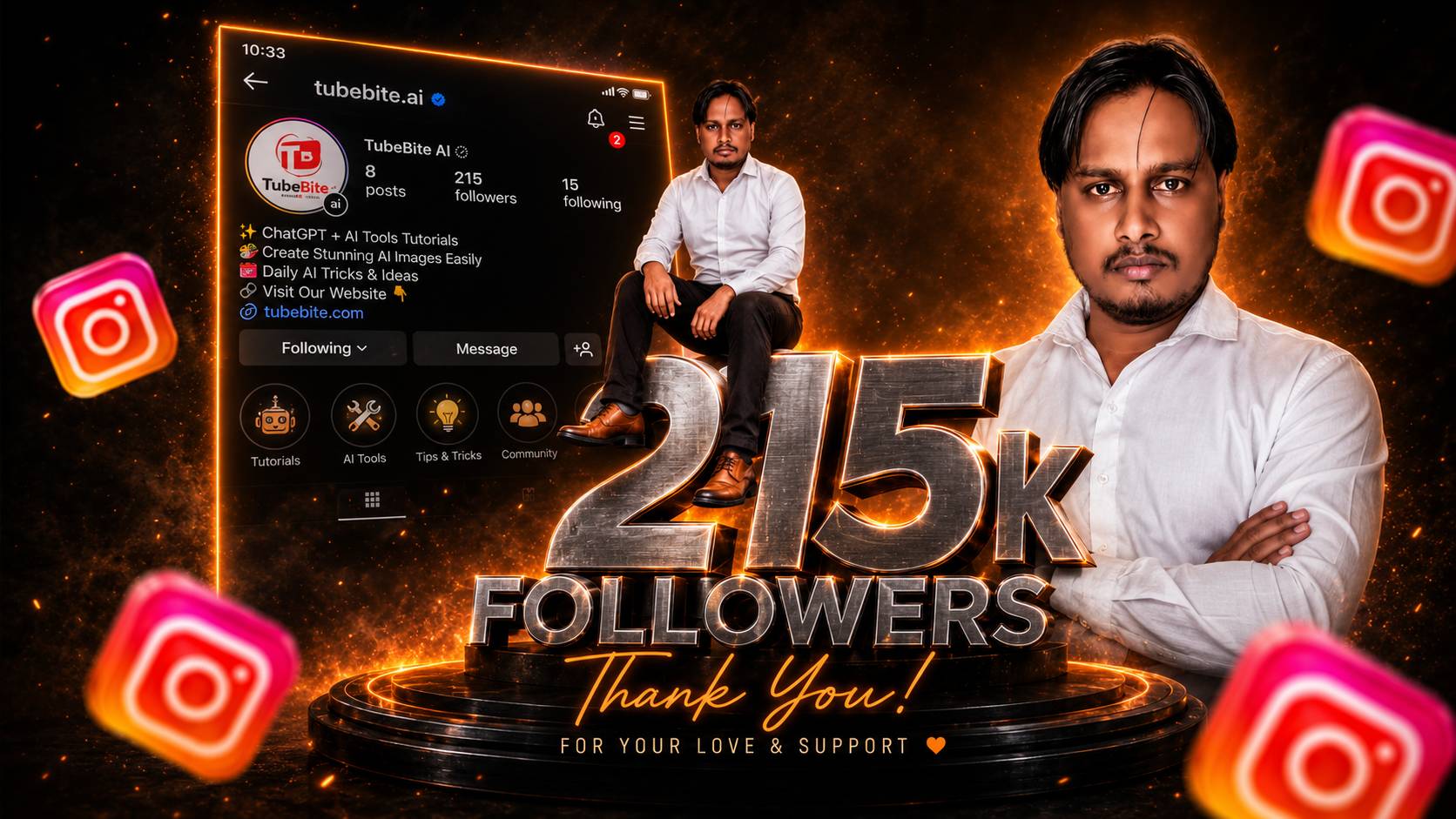
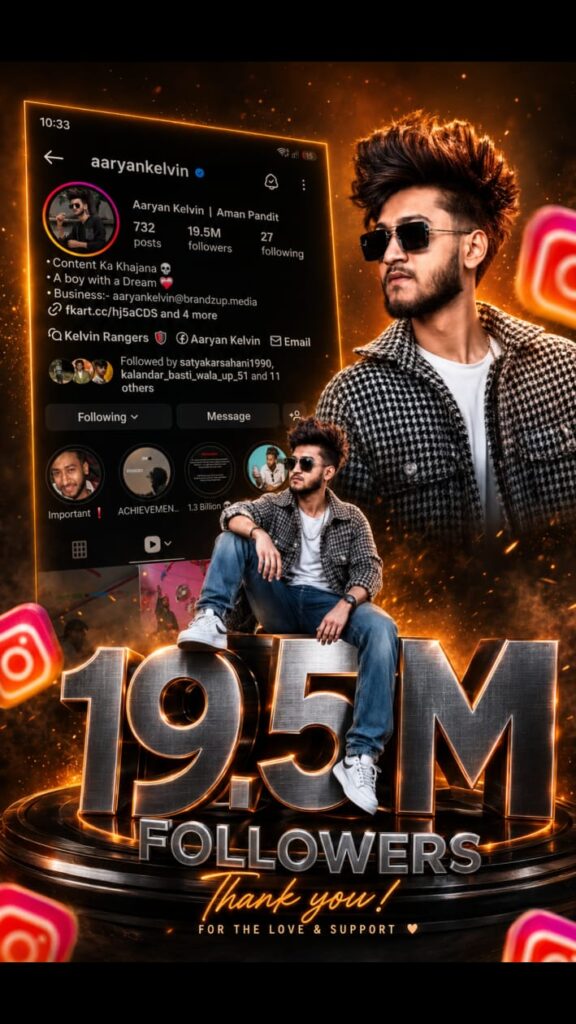
In today’s fast-paced digital world, social media is more than just a platform for sharing pictures; it is a digital portfolio, a brand-building tool, and a global stage. For content creators and influencers, hitting a new follower milestone—whether it is 1K, 10K, 100K, or 1 Million—is a massive achievement. It reflects your hard work, consistency, and the strong community you have built.
But how do you celebrate this achievement? A simple text post just doesn’t cut it anymore. You need something eye-catching, shareable, and visually spectacular. In the past, creating a high-quality celebration graphic meant hiring a professional graphic designer or spending hours wrestling with complex software like Photoshop. Not anymore! Thanks to the rapid advancement of Artificial Intelligence, designing jaw-dropping graphics is now a breeze.
Welcome to this Tubebite exclusive guide! In this detailed article, we will show you exactly how to create a stunning Instagram followers milestone poster using AI in just a few seconds. We will cover the best free tools, the exact prompts you need, and how to make your milestone post go viral.
Why Celebrating Instagram Milestones is Crucial
Before diving into the “how-to” on Tubebite, let us understand why acknowledging your follower milestones is so important for your account’s growth and SEO visibility.
1. Building a Stronger Community Connection When you post a milestone celebration, you are not just boasting about your numbers; you are thanking your audience. Your followers want to feel like they are part of your journey. A beautifully crafted AI poster serves as a digital “Thank You” card, making your audience feel valued and appreciated.
2. Boosting Algorithm Engagement Instagram’s algorithm loves positive interactions. Milestone posts naturally attract more likes, comments, and shares than regular posts. When your followers drop congratulatory comments, the algorithm detects high engagement and pushes your content to the Explore page, giving you even more reach.
3. Establishing Brand Authority A highly professional 3D milestone poster created via AI instantly elevates your brand’s aesthetic. It shows potential sponsors and new profile visitors that you take your content creation seriously.
How AI is Revolutionizing Graphic Design
If you run a blog or a YouTube channel, you already know that visual appeal is everything. AI image generators, particularly Text-to-Image models, have completely democratized graphic design. Tools like Microsoft Bing Image Creator (powered by DALL-E 3) allow anyone to generate hyper-realistic, 3D viral images simply by typing a descriptive text prompt.
Here at Tubebite, we always recommend working smart. Instead of spending hours designing, you can input a highly detailed prompt into an AI tool, and it will generate a customized, premium-quality poster featuring your name, your milestone number, and a fantastic background in under 15 seconds.
Step-by-Step Guide to Creating Your AI Milestone Poster
Follow these simple steps to generate your personalized Instagram milestone poster.
Step 1: Choose the Right AI Image Generator
While there are many AI tools out there like Midjourney and Leonardo AI, the absolute best free tool for generating text within images is Bing Image Creator. It is highly accurate at rendering specific numbers and names, which is exactly what we need for a milestone poster.
Step 2: Access the Tool
Open your web browser and go to the Microsoft Bing Image Creator website. If you don’t have an account, sign in using a free Microsoft account. The interface is incredibly user-friendly—just a blank text box waiting for your command.
Step 3: Enter the Tubebite Magic Prompt
The secret to a viral 3D image lies in the prompt. You need to clearly describe the character, the background, the social media logo, and the exact text you want to appear.
Here is an exclusive Tubebite prompt you can copy and paste. Just change the name and the follower count to match your own!
Tubebite Prompt for Boys:
Tubebite Prompt for Girls:
Step 4: Generate and Download
Once you paste your customized prompt into the search bar, hit the “Create” button. Wait for about 10 to 15 seconds. The AI will generate four different high-quality variations of your poster. Click on the one you like the most, and hit the download button to save it in high definition to your device.
Pro-Tips for Making Your Milestone Post Go Viral
Creating the poster is only half the battle. Here are some Tubebite expert tips to ensure your post gets maximum reach on Instagram:
Write a Heartfelt Caption: Don’t just post the picture. Write a long-form caption detailing your journey, the struggles you faced, and how grateful you are to your followers. Authenticity wins on social media.
Use the Right Hashtags: Mix broad and niche hashtags. Use tags like #InstagramGrowth #MilestoneReached #100KFollowers #ContentCreator #AIArt along with tags specific to your niche.
Add Trending Audio: If you are posting this image as an Instagram Reel (by adding a subtle zoom effect in a video editor like CapCut), make sure to pair it with trending, inspirational background music.
Tag Your Supporters: Tag the friends, family members, or loyal followers who supported you from day one. This encourages them to share your post on their stories.
Conclusion
Reaching an Instagram follower milestone is a moment of pride, and it deserves to be celebrated with style. By utilizing AI tools, you can skip the steep learning curve of graphic design and instantly generate a poster that will leave your audience amazed.
We hope this Tubebite guide has helped you understand how easy and fast it is to create a stunning 3D Instagram followers milestone poster with AI in seconds. Now it is your turn! Go ahead, copy the prompts provided above, customize them, and celebrate your success with a poster that truly stands out. Keep creating, keep growing, and stay tuned to Tubebite for more amazing AI and tech tutorials!
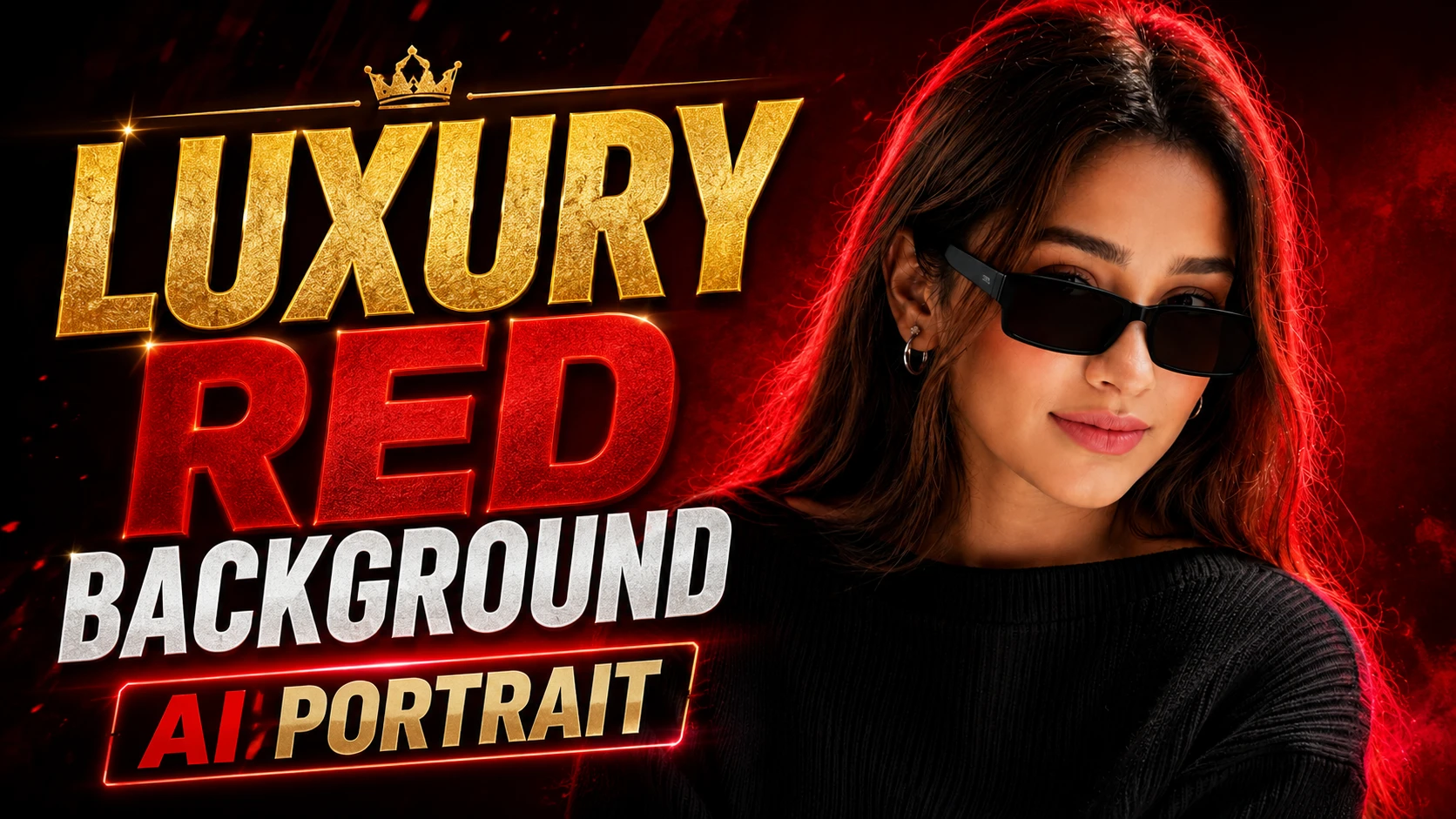
AI image generation has become one of the most popular trends in 2026. Millions of people are using AI tools to create professional and luxury-style portraits without hiring photographers or graphic designers. If you want to create a premium royal look with a stunning red background, then this TubeBite guide is for you.
In this article, we will share a powerful Luxury Red Background AI Portrait Prompt for ChatGPT and Google Gemini that can help you generate cinematic and high-quality portraits with rich colors and professional lighting. Whether you are creating images for Instagram, YouTube, Facebook, or personal branding, this prompt can produce impressive results.
What Is a Luxury Red Background AI Portrait?
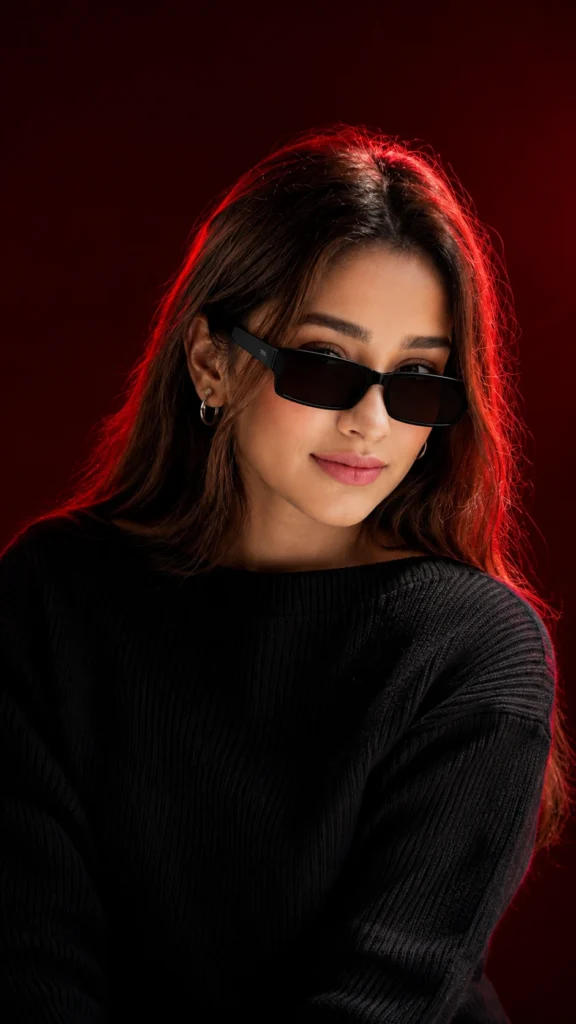
A luxury red background portrait is an AI-generated image featuring rich red tones, premium lighting effects, and elegant styling. These portraits often resemble magazine covers or professional studio photography.
Features of luxury AI portraits include:
Rich red premium background
Cinematic lighting effects
Sharp facial details
High-resolution quality
Professional fashion appearance
Realistic skin texture
Premium color grading
These images are highly popular on social media because they instantly attract attention and give a classy look.
Why Use ChatGPT and Google Gemini for AI Portraits?
Both ChatGPT and Google Gemini can help users create detailed prompts for AI image generators. A good prompt improves image quality and helps AI understand the desired style more accurately.
Benefits include:
Fast image creation
Professional results
No editing skills required
Suitable for social media creators
Perfect for profile pictures and branding
Easy to customize according to personal style
TubeBite users are increasingly using these prompts to create viral AI photos that look expensive and professionally edited.
Luxury Red Background AI Portrait Prompt
Copy the prompt below and use it with ChatGPT, Google Gemini, or any AI image generator.
AI Prompt
Best Uses of This AI Prompt
This luxury portrait prompt can be used for:
Instagram Profile Pictures
A premium AI portrait makes your profile look attractive and professional.
YouTube Channel Branding
Creators can use these images for channel banners, thumbnails, and branding purposes.
Facebook and WhatsApp DP
Luxury portraits are becoming popular among users who want unique and stylish display pictures.
Business Profiles
Professionals and entrepreneurs can create elegant profile photos for LinkedIn and other platforms.
Social Media Content
Influencers can create eye-catching images for posts and stories.
Tips to Get Better Results
To achieve even better quality, follow these tips:
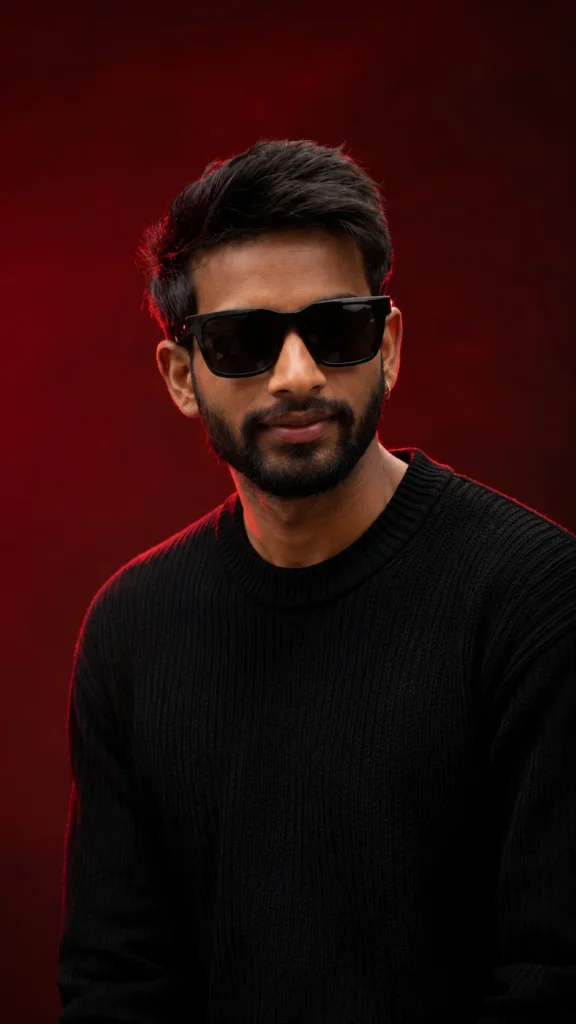
Use High-Quality Reference Photos
Upload clear images with good lighting to maintain facial details.
Mention Realistic Skin Texture
Adding terms like “ultra-realistic skin texture” improves image quality significantly.
Include Cinematic Lighting
Professional lighting creates depth and gives a premium appearance.
Add 8K Resolution
Using “8K ultra HD” in prompts helps generate sharper and more detailed images.
Use Professional Fashion Elements
Accessories like watches, rings, and luxury suits enhance the overall look.
Why TubeBite Recommends Luxury AI Portrait Prompts
TubeBite regularly covers trending AI image prompts because users are searching for unique and viral photo editing styles. Luxury red background portraits are among the most searched AI photo trends because they offer:
Premium appearance
Social media appeal
Realistic quality
Professional branding
Fast creation process
Even beginners can create stunning portraits with just one prompt.
Customize the Prompt According to Your Style
You can modify the prompt by adding:
Royal black suit
Gold chain
Sunglasses
Luxury office background
Red smoke effects
Cinematic spotlight
Fashion magazine style
Soft bokeh lighting
Premium studio photography
These additions can make the image even more attractive and unique.
Conclusion
Luxury red background AI portraits are becoming increasingly popular among content creators and social media users. With the help of ChatGPT and Google Gemini, anyone can create premium-quality portraits that look professionally photographed.
This exclusive TubeBite guide provides a powerful Luxury Red Background AI Portrait Prompt that can transform ordinary images into stunning royal-style portraits. Simply copy the prompt, upload your photo if needed, and generate a high-quality masterpiece in seconds.
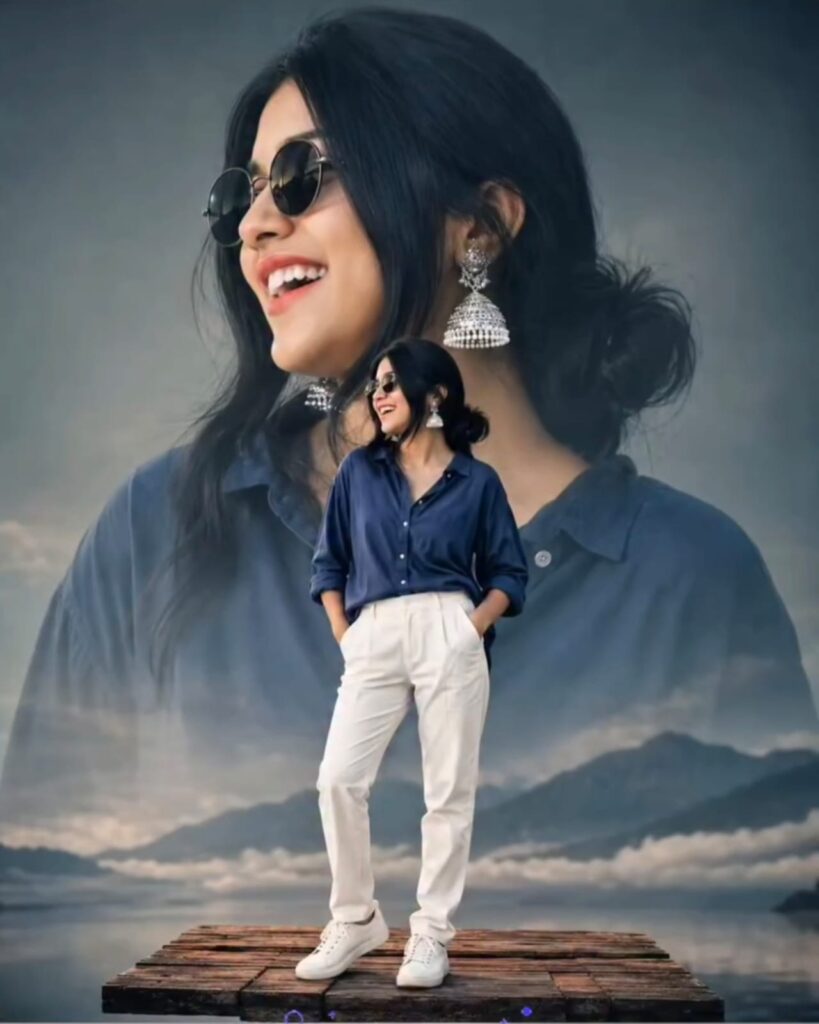
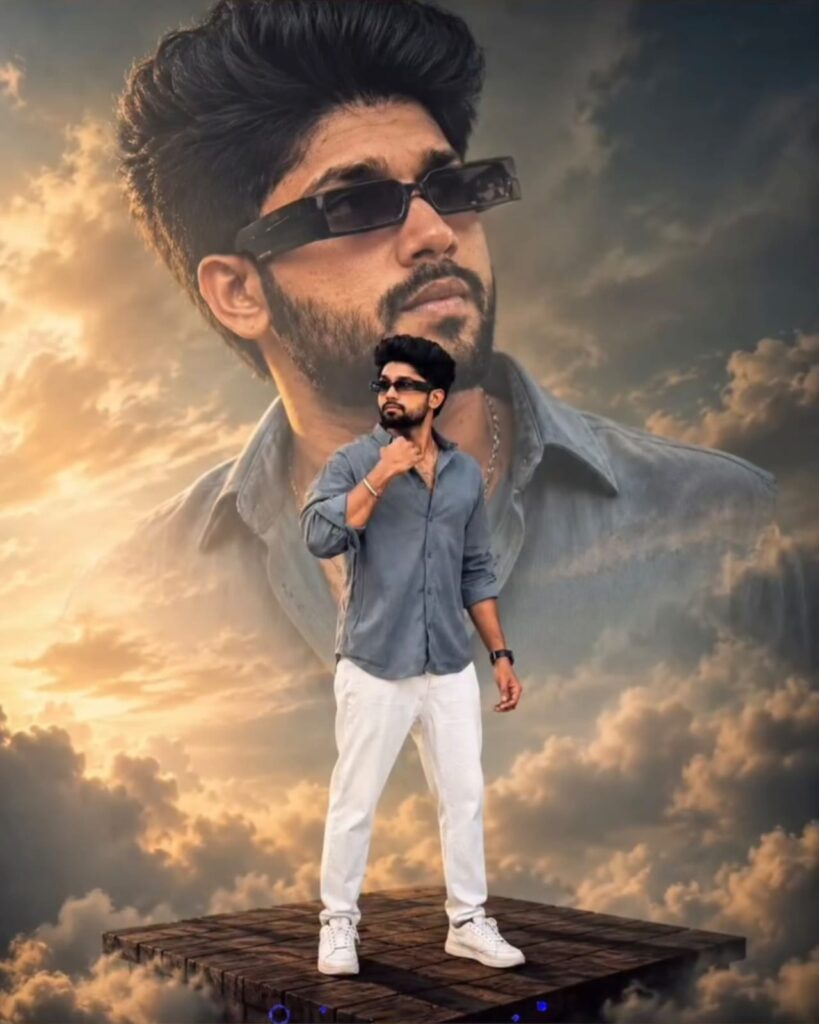
AI photo editing has become one of the biggest trends in 2026. If you have been using Instagram, Facebook, or YouTube Shorts, you have probably seen stunning images where a giant portrait appears in the background while a full-body version of the same person stands in front with cinematic lighting. This style looks professional, eye-catching, and perfect for social media.
In this article, you will learn how to create these viral double exposure AI photos using ChatGPT and other AI image generators. If you want to create high-quality images like the ones trending online, this complete guide will help you.
What Is a Giant Background Portrait AI Photo?
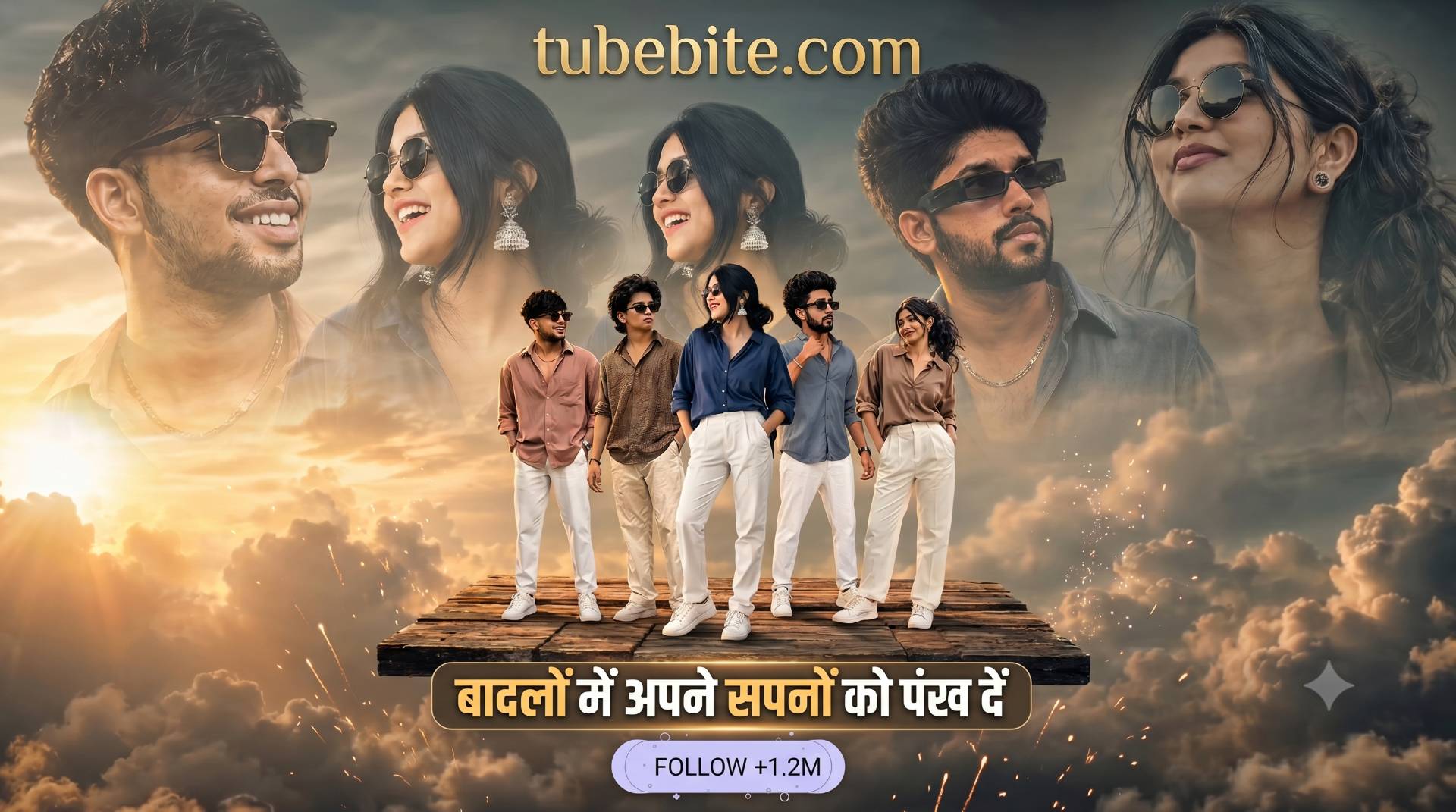
A giant background portrait image is a double exposure style effect where two versions of the same person appear in a single frame. The large portrait is placed in the background, while the smaller full-body image stands in front. Cinematic clouds, mountains, lakes, and dramatic lighting are added to make the photo look realistic and artistic.
This editing style is currently one of the most popular trends among content creators, and Tubebite readers are constantly searching for new AI editing ideas like this.
What Do You Need to Create This Effect?
Creating this type of image is easier than you might think. You only need:
A clear portrait or selfie
ChatGPT Image Generator or Gemini AI
Internet connection
High-quality source photo
Basic understanding of AI prompts
Once you have these things, AI tools can generate professional-looking images within seconds.
Best AI Prompt for Creating Giant Background Portrait Photos
Copy and paste the following prompt into ChatGPT Image Generator or Gemini AI
This prompt can generate beautiful images similar to the viral style currently trending on social media.
Tips to Make Your Image Look More Realistic
To achieve better results, include stylish elements such as:
Sunglasses
Casual shirts
White sneakers
Sunset lighting
Mountains and lake background
Cinematic color grading
Soft shadows and depth effects
These small details can make your AI-generated image look much more professional.
How to Create This Image with Gemini AI
Google Gemini AI is becoming increasingly popular for realistic image generation. Simply upload your image and enter the prompt mentioned above. Within a few seconds, Gemini AI can create a high-quality cinematic portrait.
Many creators visit Tubebite regularly to discover trending prompts and new editing techniques that help them create viral content.
Enhance the Image with CapCut
After generating the image, you can make it even better using CapCut. Add the following effects:
HDR filter
Sharpen effect
Brightness adjustment
Contrast enhancement
Color grading
Glow effect
These adjustments can give your image a premium and realistic appearance.
Why This Style Is Going Viral in 2026
Social media users love cinematic and creative images. Giant background portrait photos attract more attention than ordinary pictures because they create a dramatic and premium look.
Influencers, YouTubers, and Instagram creators are using this editing style for:
Instagram posts
Reels covers
Facebook profile pictures
YouTube thumbnails
WhatsApp status images
Because of its unique appearance, this style is expected to remain popular throughout 2026.
Best AI Tools for Creating These Photos
Here are some powerful AI tools you can use:
ChatGPT Image Generator
Produces realistic and cinematic images with detailed prompts.
Gemini AI
Excellent for portrait generation and high-quality visuals.
Bing Image Creator
Free and easy to use for beginners.
Leonardo AI
Perfect for artistic and professional image styles.
Midjourney
Creates highly detailed and creative images.
According to recent trends, Tubebite users are showing increasing interest in these AI tools because they make photo editing easier than ever.
How to Convert Images into 8K Quality
Once your image is generated, you can enhance its quality using:
Remini AI
Pixelcut
Canva
Upscayl
AI Image Enhancer Tools
These applications help improve sharpness and produce ultra-HD results.
Can These Images Help You Go Viral?
Yes. High-quality AI images have a better chance of attracting clicks and engagement. If you combine these images with SEO-friendly content, they can also perform well on Google Discover.
This is one of the reasons why AI photo editing content has become extremely popular. Tubebite continues to publish new AI prompts and editing tutorials that help creators stay ahead of trends.
Final Thoughts
Giant background portrait AI photos are among the hottest editing trends of 2026. Thanks to ChatGPT and Gemini AI, anyone can create stunning cinematic images without professional editing skills.
Whether you are a content creator, blogger, YouTuber, or social media enthusiast, this style can help you create eye-catching visuals that stand out from the crowd. Keep exploring the latest AI trends and tutorials on Tubebite, where you can discover new prompts, editing tricks, and creative ideas every day.
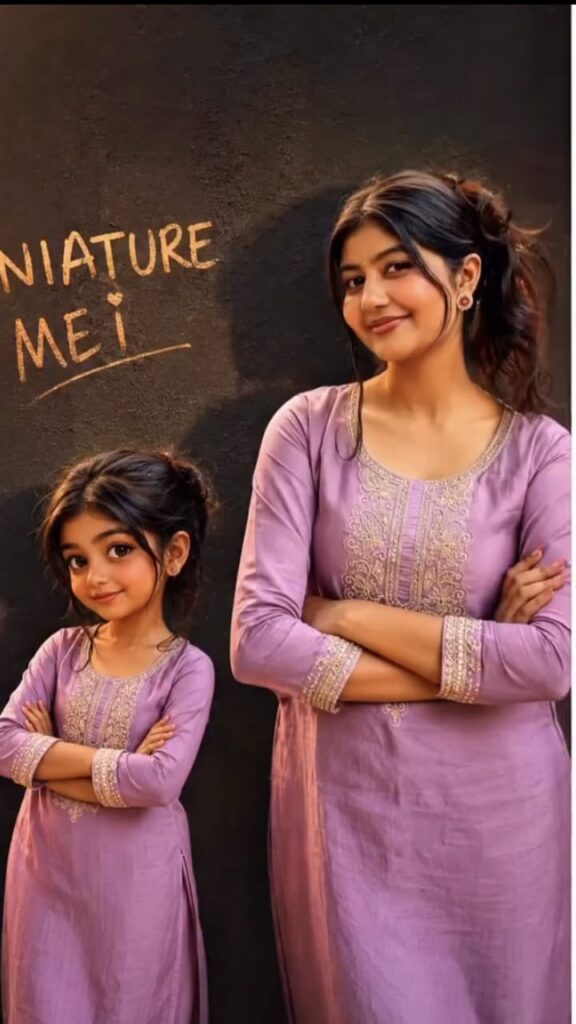
Welcome to another exciting digital creation guide right here on tubebite. The internet is constantly evolving with new visual trends capturing the attention of millions across the globe. Right now the most talked-about phenomenon is the Miniature Me AI photo trend. Social media platforms are completely flooded with these adorable and highly engaging images. Digital creators everywhere are jumping on this bandwagon to boost their reach and maximize their online presence.
If you are looking for a definitive way to skyrocket your engagement metrics and decrease your bounce rate then mastering this AI art style is an absolute must. In this comprehensive article we will explore everything you need to know about generating these spectacular visuals. We will discuss the psychology behind their viral nature and the exact steps you must follow to create your own. Furthermore we have included two highly requested text prompts below so you can generate perfect results immediately.
Understanding the Miniature Me Phenomenon
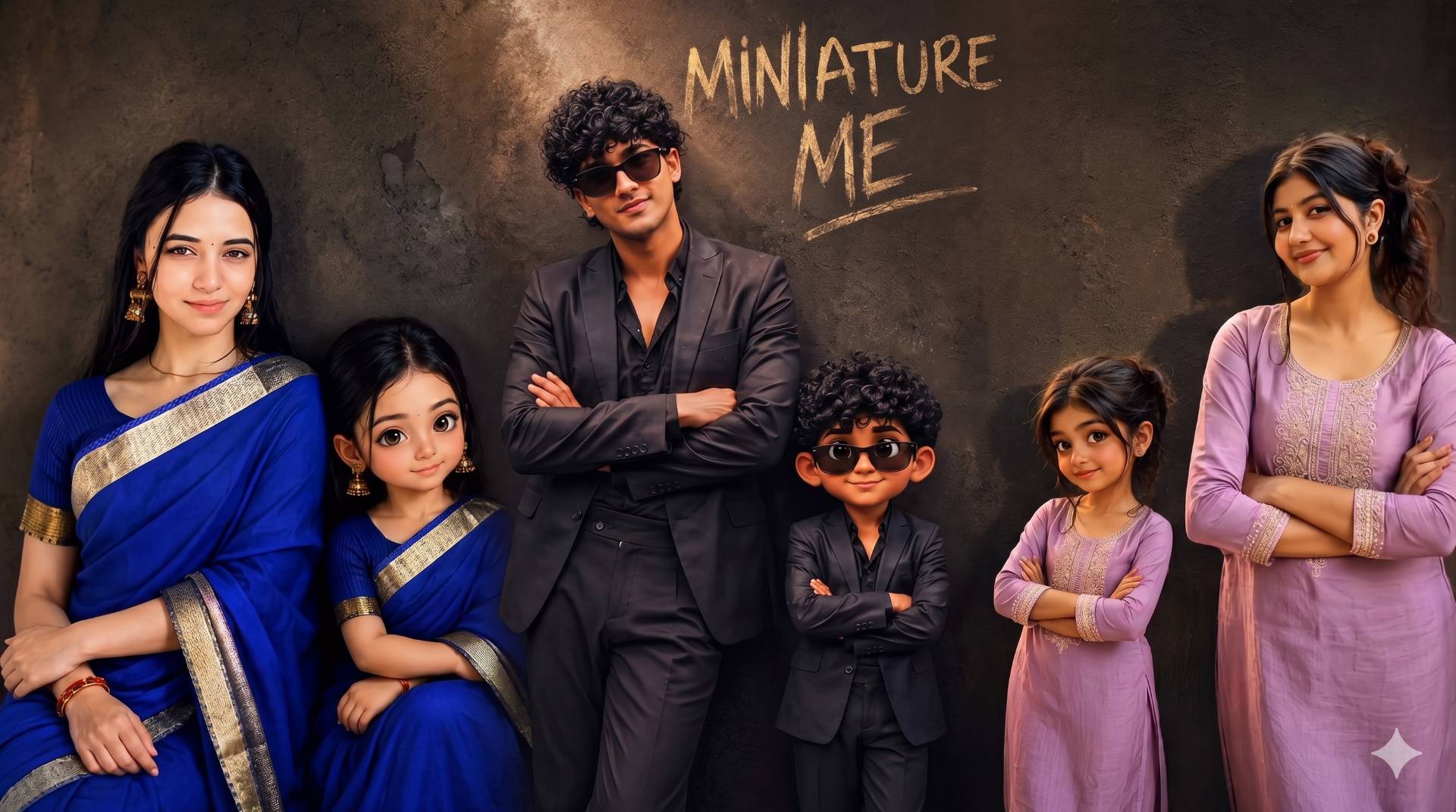
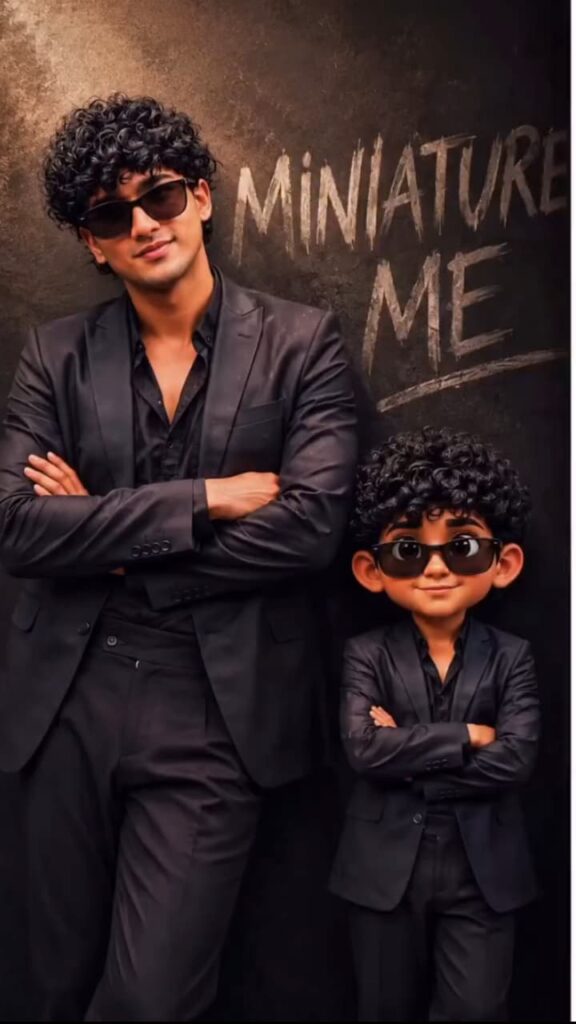
What exactly is this trend taking over your daily feed? The concept revolves around using advanced artificial intelligence image generators to place a tiny adorable cartoonish version of yourself right next to your realistic self. The contrast between the realistic human figure and the Pixar-style miniature creates a striking visual dynamic. It blends reality with fantasy in a way that instantly stops users from scrolling past your post.
Digital content thrives on pattern interruption. This specific aesthetic does exactly that. The juxtaposition of a professional or casual portrait alongside a big-eyed cute miniature character is guaranteed to spark curiosity and joy. When audiences see something that is both highly personalized and technologically impressive they are much more likely to interact with it.
Why You Need to Jump on This Trend
As a digital creator or a professional blogger your primary goal is to foster engagement and keep your audience on the page. These miniature photos are incredibly effective at driving likes comments and shares. Here is why they work so well:
Emotional Connection: People naturally gravitate towards content that evokes a sense of nostalgia or innocence. The miniature version often looks like a childhood representation of the main subject.
High Engagement: This emotional connection encourages followers to interact with the post. High engagement rates signal to platform algorithms that your content is valuable leading to increased organic reach.
Audience Retention: Unique visual content increases dwell time. When users spend more time looking at your images they are more likely to read your accompanying captions or blog articles.
Traffic Generation: By utilizing this trend you are essentially tapping into a proven psychological trigger that maximizes visibility. This is especially useful if you are trying to drive traffic to informational portals and optimize your overall digital footprint.
Essential Tools for AI Image Generation
To participate in this trend you do not need expensive photography equipment or complex desktop software. All you need is access to a reliable AI image generator.
Bing Image Creator (Powered by DALL-E 3): This is currently the most popular tool for this trend because it perfectly understands complex prompts and renders text flawlessly. It is also completely free to use with a Microsoft account.
Midjourney: Known for its high artistic quality Midjourney can create incredibly realistic base characters though it might struggle slightly with exact text generation compared to DALL-E 3.
Leonardo AI: A great alternative that offers excellent character consistency and fine-tuned control over the final output.
The secret lies entirely in the prompt you feed into the system. A well-crafted prompt acts as a precise set of instructions telling the AI exactly what style lighting and composition you desire.
The Boy Prompt for Miniature Me AI Photos
Creating the perfect image for boys requires a prompt that highlights a cool and stylish aesthetic. The goal is to match the outfit and vibe of the main character with the miniature counterpart. Here is a highly optimized prompt you can copy and paste directly into your chosen AI tool.
Copy this prompt:
How to Customize the Boy Prompt
Simply paste this text into the image generator. You can modify specific details to better match your actual appearance. Customization is key to making the final output feel personal.
Change the attire: Swap the black blazer for a casual hoodie or a traditional kurta.
Adjust features: Modify the hair style from curly to straight or add facial hair to the main realistic character.
The Girl Prompt for Miniature Me AI Photos
For girls the prompt should focus on elegance beauty and traditional or modern attire depending on your preference. The miniature version should radiate charm and innocence while perfectly mirroring the main subject. Here is the perfect prompt for creating stunning female miniature photos.
Copy this prompt:
How to Customize the Girl Prompt
Just like the previous prompt you can easily tweak the variables. The AI is highly adaptable and will adjust the final render based on these small descriptive changes.
Change the outfit: Replace the royal blue saree with a purple kurti or a modern western dress.
Update the background: Instead of a studio wall you can change the background to a cafe or a nature setting while keeping the “MINIATURE ME” text floating in the background.
Transforming Your AI Image into a Viral Short Video
Generating the image is only the first half of the strategy. To truly dominate social media feeds and attract a global audience you need to turn this static image into an engaging short video. Platforms heavily prioritize short-form video content. You can use popular mobile video editing applications to add dynamic effects to your new picture.
Editing Workflow
Import to Editor: Open an editing app like CapCut or KineMaster and import your newly generated AI image.
Apply 3D Effects: In CapCut go to the “Style” menu and apply the “3D Zoom” or “3D Photo” effect. This gives the image incredible depth and makes the miniature character pop out of the screen.
Add Transitions: If you generate multiple variations of the image use smooth transitions like fades or light leaks to switch between them.
Trending Audio: Add a trending background audio track that matches the vibe of your picture.
Text Overlays: Include text overlays asking viewers a question like “Which version is cuter?” to drive comments and engagement.
This simple mobile editing workflow takes less than five minutes but dramatically increases user retention and dwell time on your content making it much more likely to go viral.
Formatting for the Best Reader Experience
When sharing your creation process on your own blog it is crucial to present it in a clean minimalist and reader-friendly format. Large blocks of text can easily overwhelm visitors and cause them to click away. Always break down your content into easily digestible paragraphs with clear headings. Use bullet points when listing steps or tips. A well-structured post keeps your audience engaged and encourages them to read your content thoroughly ensuring a fantastic user experience from start to finish.
Final Thoughts
The Miniature Me AI photo trend is a fantastic way to showcase your creativity and boost your digital presence. By utilizing the provided text prompts and leveraging powerful mobile editing apps you can create content that truly stands out from the crowd. Experiment with different styles outfits and backgrounds to find what resonates best with your specific audience. The world of AI is vast and full of opportunities for those willing to learn and adapt. Start generating your own miniature avatars today and watch your engagement metrics reach new heights. Keep experimenting keep creating and continue building your online empire.