AI photo editing has become one of the biggest trends in 2026. If you have been using Instagram, Facebook, or YouTube Shorts, you have probably seen stunning images where a giant portrait appears in the background while a full-body version of the same person stands in front with cinematic lighting. This style looks professional, eye-catching, and perfect for social media.
In this article, you will learn how to create these viral double exposure AI photos using ChatGPT and other AI image generators. If you want to create high-quality images like the ones trending online, this complete guide will help you.
What Is a Giant Background Portrait AI Photo?
A giant background portrait image is a double exposure style effect where two versions of the same person appear in a single frame. The large portrait is placed in the background, while the smaller full-body image stands in front. Cinematic clouds, mountains, lakes, and dramatic lighting are added to make the photo look realistic and artistic.
This editing style is currently one of the most popular trends among content creators, and Tubebite readers are constantly searching for new AI editing ideas like this.
What Do You Need to Create This Effect?
Creating this type of image is easier than you might think. You only need:
- A clear portrait or selfie
- ChatGPT Image Generator or Gemini AI
- Internet connection
- High-quality source photo
- Basic understanding of AI prompts
Once you have these things, AI tools can generate professional-looking images within seconds.
Best AI Prompt for Creating Giant Background Portrait Photos
Copy and paste the following prompt into ChatGPT Image Generator or Gemini AI
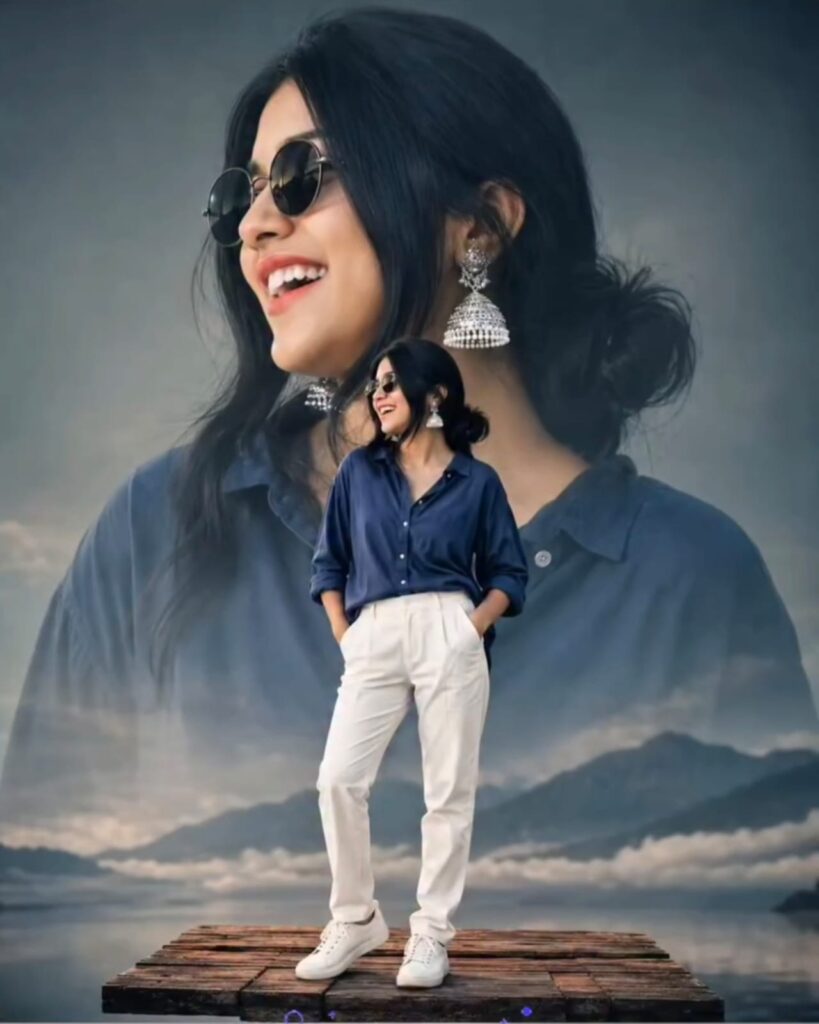
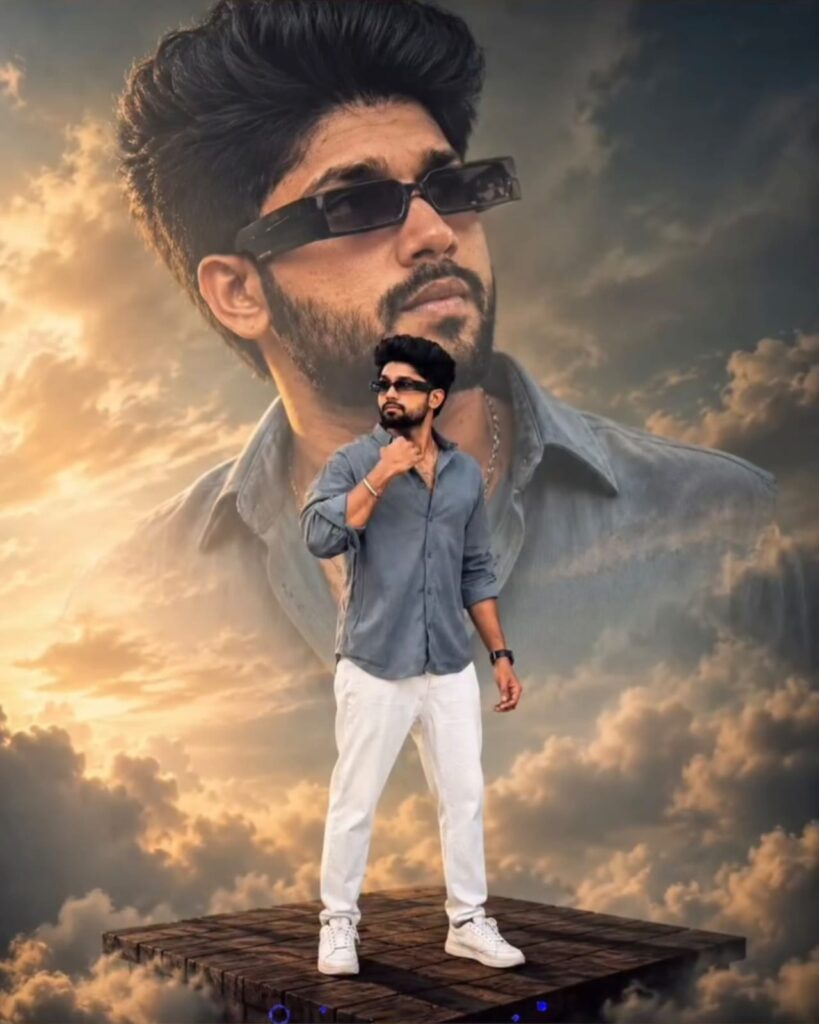
This prompt can generate beautiful images similar to the viral style currently trending on social media.
Tips to Make Your Image Look More Realistic
To achieve better results, include stylish elements such as:
- Sunglasses
- Casual shirts
- White sneakers
- Sunset lighting
- Mountains and lake background
- Cinematic color grading
- Soft shadows and depth effects
These small details can make your AI-generated image look much more professional.
How to Create This Image with Gemini AI
Google Gemini AI is becoming increasingly popular for realistic image generation. Simply upload your image and enter the prompt mentioned above. Within a few seconds, Gemini AI can create a high-quality cinematic portrait.
Many creators visit Tubebite regularly to discover trending prompts and new editing techniques that help them create viral content.
Enhance the Image with CapCut
After generating the image, you can make it even better using CapCut. Add the following effects:
- HDR filter
- Sharpen effect
- Brightness adjustment
- Contrast enhancement
- Color grading
- Glow effect
These adjustments can give your image a premium and realistic appearance.
Why This Style Is Going Viral in 2026
Social media users love cinematic and creative images. Giant background portrait photos attract more attention than ordinary pictures because they create a dramatic and premium look.
Influencers, YouTubers, and Instagram creators are using this editing style for:
- Instagram posts
- Reels covers
- Facebook profile pictures
- YouTube thumbnails
- WhatsApp status images
Because of its unique appearance, this style is expected to remain popular throughout 2026.
Best AI Tools for Creating These Photos
Here are some powerful AI tools you can use:
ChatGPT Image Generator
Produces realistic and cinematic images with detailed prompts.
Gemini AI
Excellent for portrait generation and high-quality visuals.
Bing Image Creator
Free and easy to use for beginners.
Leonardo AI
Perfect for artistic and professional image styles.
Midjourney
Creates highly detailed and creative images.
According to recent trends, Tubebite users are showing increasing interest in these AI tools because they make photo editing easier than ever.
How to Convert Images into 8K Quality
Once your image is generated, you can enhance its quality using:
- Remini AI
- Pixelcut
- Canva
- Upscayl
- AI Image Enhancer Tools
These applications help improve sharpness and produce ultra-HD results.
Can These Images Help You Go Viral?
Yes. High-quality AI images have a better chance of attracting clicks and engagement. If you combine these images with SEO-friendly content, they can also perform well on Google Discover.
This is one of the reasons why AI photo editing content has become extremely popular. Tubebite continues to publish new AI prompts and editing tutorials that help creators stay ahead of trends.
Final Thoughts
Giant background portrait AI photos are among the hottest editing trends of 2026. Thanks to ChatGPT and Gemini AI, anyone can create stunning cinematic images without professional editing skills.
Whether you are a content creator, blogger, YouTuber, or social media enthusiast, this style can help you create eye-catching visuals that stand out from the crowd. Keep exploring the latest AI trends and tutorials on Tubebite, where you can discover new prompts, editing tricks, and creative ideas every day.